guides
Stick figure animation: what it is and how to make one (2026)
Contents: What is stick figure animation?
A stick figure is often the first person we learn to draw as children. It has no clothes, facial details, or background to look at, so the viewer watches only what the figure does. That simplicity is what gets an idea across so quickly. Animating stick figures into a video, however, takes more work. A fight animated by hand means posing the figure again for every frame. Most guides to starting a faceless stick figure explainer channel on YouTube suggest three separate tools. One writes the script, a second makes the voice, and a third lays out the scenes. Scenema does all three in one place. This guide covers what stick figure animation is, how to make a narrated stick figure video with AI, and how to animate it by hand.
In stick figure animation, every character is a round head with single lines for a body, arms, and legs. There are three ways to make it:
- With an AI video tool: Scenema turns a script or a document into a narrated stick figure video, which suits explainers, storytime, and faceless channels.
- By hand in a free app: Pivot Animator, Stick Nodes, and Stick Studio Pro let you pose each frame yourself, which suits fights, games, and learning.
- By hiring an animator: A freelancer or studio brings their own craft and style to a custom video, often the right choice for a branded series.
Glossary of stick figure animation termsNew to these terms? Click to open 9 short definitions.OpenClose
Stick figure: A person drawn as a circle for the head and single lines for the body and limbs. Stickman and stick man mean the same thing.
Pose: The position of every limb of a figure in one frame.
Key pose: One of the main poses of an action, such as the wind up, the punch, and the recovery.
In-between: A frame drawn between two key poses so that the motion looks smooth.
Tweening: When software calculates the in-betweens for you once you set the key poses.
Onion skin: A faint view of the previous frame under the current one, so you can see how far each limb moves.
Frames per second: How many frames play each second. More frames give smoother motion and more work.
Rig or nodes: The joints of a figure that you drag to pose it, so no frame has to be drawn again.
Faceless channel: A YouTube channel run without the creator showing their face. Narration over animation is a common format for these channels.
In this article
- What is stick figure animation?
- How do you make a stick figure explainer video with AI?
- How does Scenema make stick figure animation?
- What are stick figure videos used for?
- What is the best stick figure animation software?
- How do you animate stick figures by hand?
- Who made stick figure animation popular?
What is stick figure animation?
Stick figure animation is a form of 2D animation that tells a story with as few lines as possible, usually black on white. With so little to redraw in each frame, a single animator can carry a long action scene or a whole series. The attention moves to timing and gesture. A stick figure has to show fear, joy, or confusion through its pose, sometimes a pair of dot eyes, and how fast it moves.
People use the term for two quite different kinds of video. The first is action animation, such as fights, chases, and dance, where the figure’s movement is the whole point and there is often no dialogue. The second is the narrated stick figure video, in which a voice tells a story or explains an idea and the figures act it out. Click or tap each card to see the four common types.
Stick figure animation sits close to whiteboard animation, since both use black lines on white. The difference is the drawing hand. A whiteboard video shows a hand sketching each picture as the narrator speaks, whereas in stick figure animation the figures are already drawn and move, jump, and react.
How do you make a stick figure explainer video with AI?
To make a stick figure explainer video with AI, you give a tool a script, a topic, or a document. The tool then plans the scenes, draws the figures, and records the narration. This route suits faceless channels that publish narrated stories and explainers.
In Repixo’s YouTube tutorial on faceless stick figure channels, the video is built from three tools. The creator writes the script in ChatGPT, generates the voice in ElevenLabs, assembles the stick figure scenes in Canva, and then matches each picture to the narration. The recipe works, although every change to the script means recording the voice again and moving scenes in the editor.
An AI video tool that does all of it in one place removes those handoffs. In Scenema, you choose the stick figure style, give it a prompt, a script, or a file, and review the plan before anything renders. Scenema writes or keeps your narration, plans each shot, draws it in the style, voices it, and cuts the shots to the voice. Crreo AI and Clippie also make stick figure videos from text, and they differ in how they get the look and how long a video can run.
Scenema
The stick figure look
A built-in stick figure style with its own drawing and motion rules, chosen like any other style.
Length
One or more chapters, each up to 30 minutes long.
Good to know
A reference keeps the same figure in every scene, and its voices cover more than 75 languages.
Crreo AI
The stick figure look
You pick the Custom style and describe the stickman look in a prompt, such as a minimalist stickman on a white background.
Length
Script to video up to 30 minutes.
Good to know
A photo reference keeps the same character across scenes, and its voices cover more than 80 languages.
Clippie
The stick figure look
Five stickman looks to choose from, in landscape or vertical format.
Length
Its writer drafts up to 10 minutes; pasted scripts run to about 20 minutes.
Good to know
Each scene runs 5 to 8 seconds.
Whichever tool you use, the script decides whether a stick figure video works. Check off each point as your script meets it.
Stick figure video script checklist
Our guide on how to start a faceless YouTube channel covers niche, posting schedule, and growth. For longer scripts, see how to write a YouTube video script.
How does Scenema make stick figure animation?
Scenema makes complete narrated stick figure videos in its stick figure style. The style draws true stick figures in wobbly black marker on plain white: a round head with tiny round eyes, and single lines for the body and limbs. People are told apart by a hair scribble, a hat, or one color accent, and their expressions are big. Color appears only on a few props, such as a red notification dot or a yellow spotlight, and labels and arrows look scribbled by hand. There is no drawing hand.
The motion favors comedic timing over smooth movement. Figures snap from one pose to the next, jump with motion lines when shocked, and freeze in awkward pauses before a punchline. The camera stays still and then cuts hard or zooms suddenly into a face for a reaction.
A video can begin from a prompt, a finished script, or an uploaded PDF, Word file, PowerPoint deck, spreadsheet, or plain text. From there Scenema drafts the narration when you have none, splits it into scenes, and generates each shot in the stick figure style. A few things matter most for stick figure channels:
- One recurring figure: A narrator figure is drawn from a reference, so the same character appears in every scene. The guide to character consistency in AI video covers how references work.
- Voices: More than 500 voices in over 75 languages, so the same story can be voiced in Hindi, Spanish, French, or Mandarin for a new audience.
- Length: A long storytime or a full lesson fits in one project, as one or more chapters of up to 30 minutes.
- Models: Scenema chooses the video models behind the scenes, so there is no model menu to study.
The free plan makes a watermarked stick figure video of up to 30 seconds. The built-in styles, the stick figure style included, are all on the free plan. Paid plans are listed on Scenema’s pricing page. For the technology behind it, see what AI animation is and how it works.
What are stick figure videos used for?
Narrated stick figure videos suit messages that gain from humor, where viewers can see themselves in the figure. The three scenes below are stills from Scenema’s stick figure style.
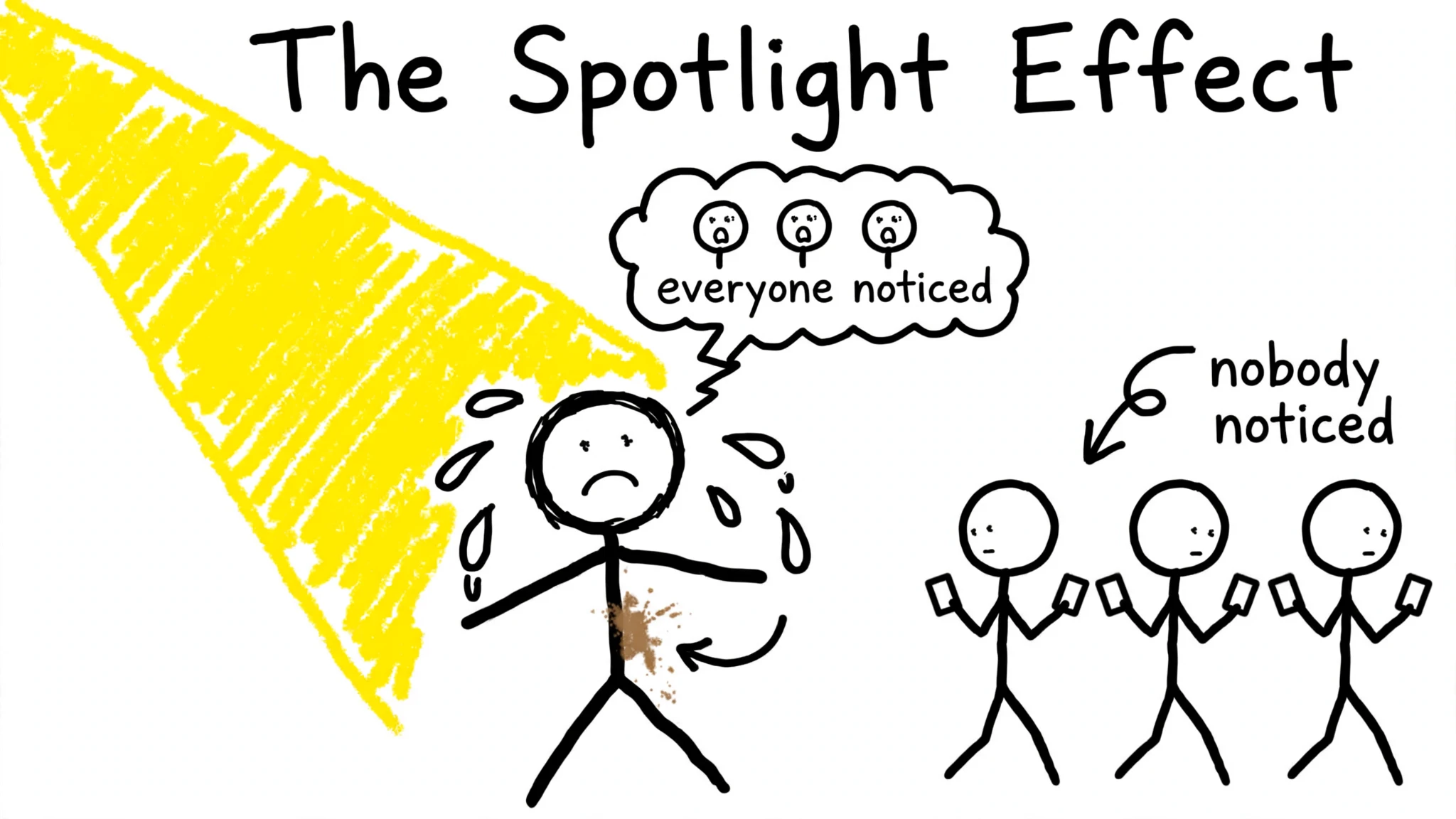
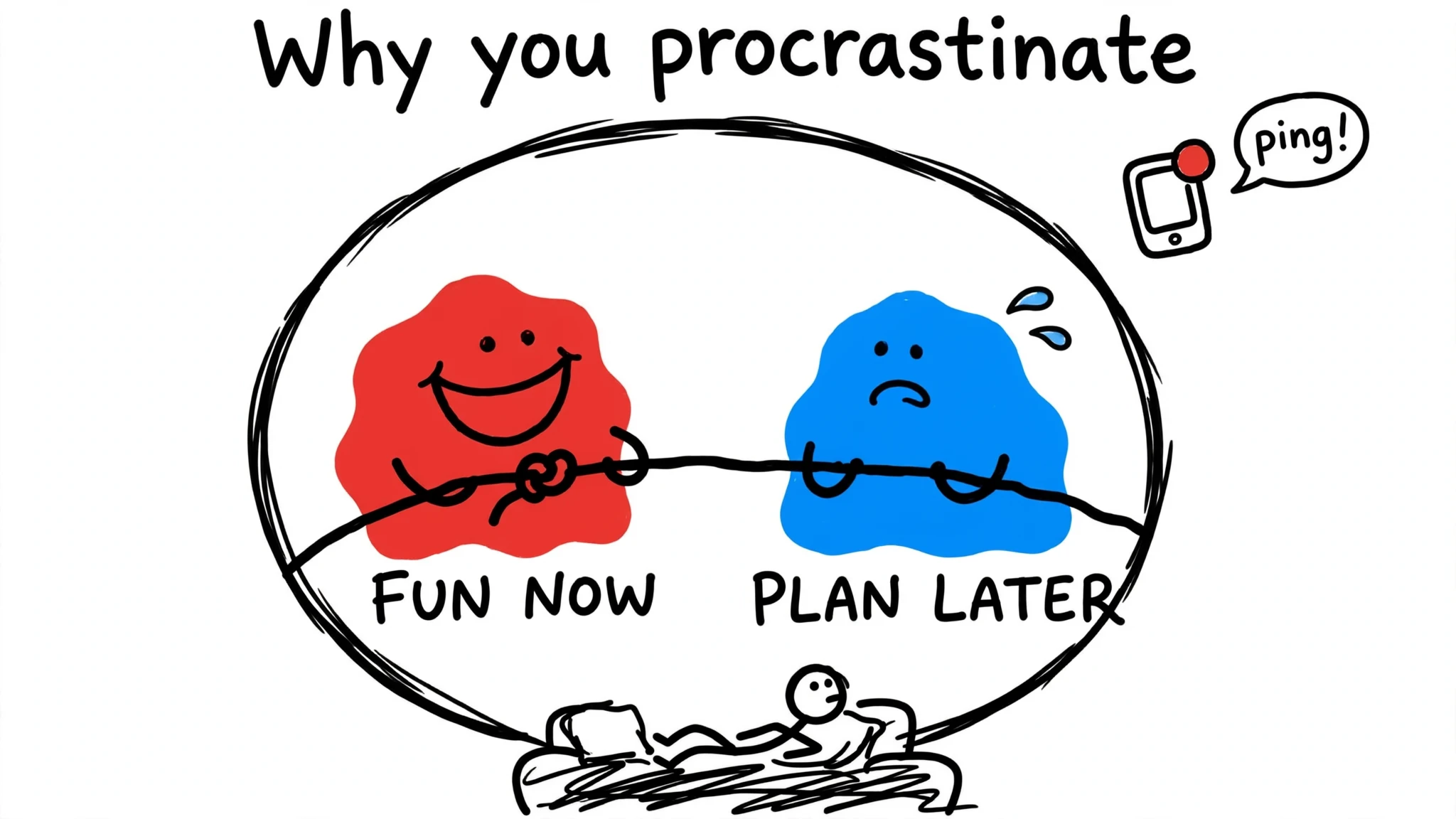
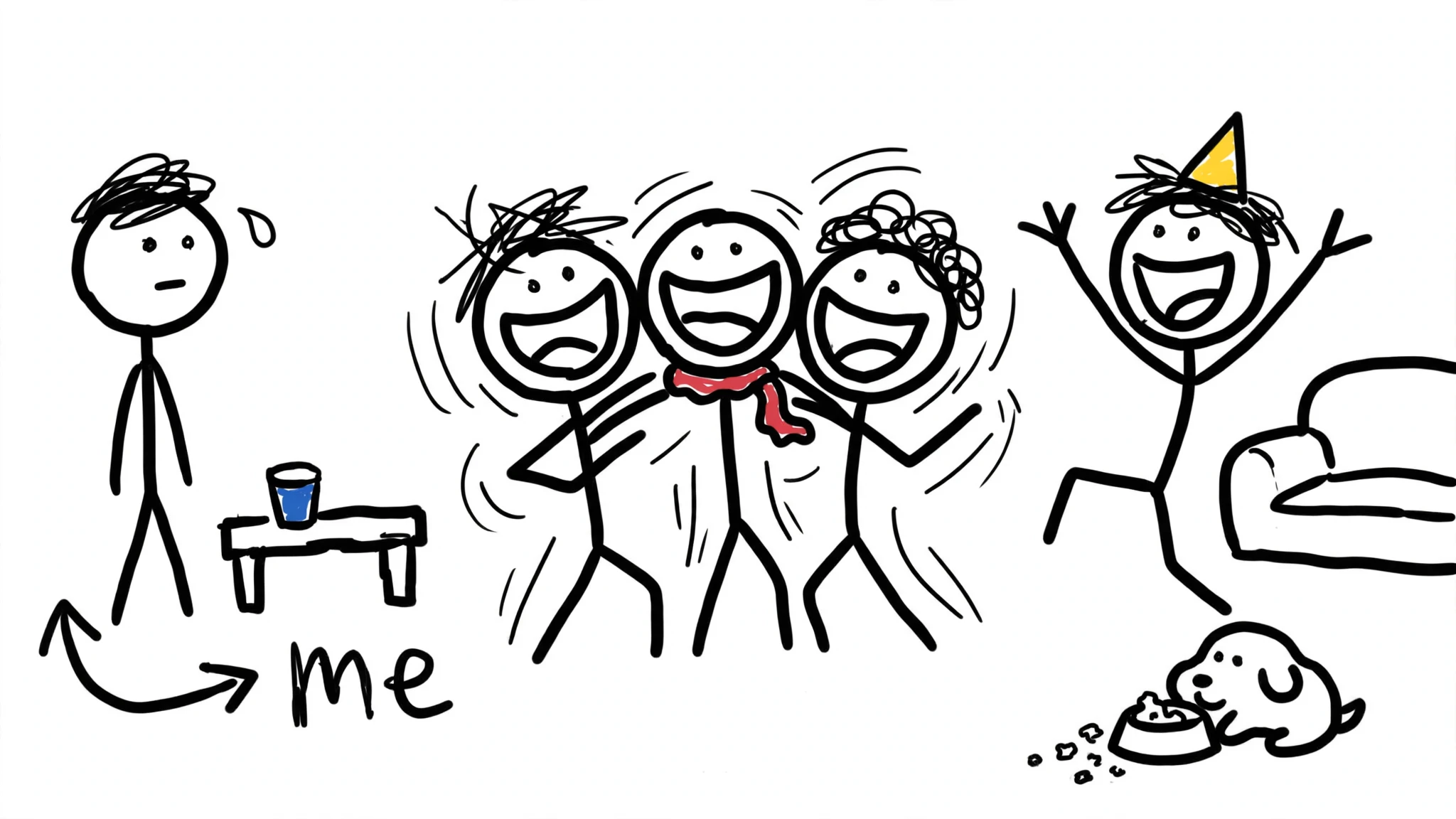
- Psychology and everyday behavior: Videos on procrastination, overthinking, or impostor syndrome. A simple figure makes a mental habit easy to recognize in yourself.
- Storytime: Personal stories about a worst job, a trip that went wrong, or growing up, told by a narrator while the figures act them out.
- Comedy explainers: Dry, funny takes on serious subjects such as taxes or history, a format channels like Casually Explained and Sam O’Nella Academy are known for.
- Social skills and life advice: Coaches, schools, and youth programs use light drawings for advice that could otherwise feel preachy.
- Internal company updates: Teams use a funny stick figure video to announce new meeting rules or a process change, where a memo might go unread.
The style suits subjects where a laugh helps the point land. A safety procedure, a medical consent video, or a luxury product launch, however, usually calls for a different look, such as rounded 2D character animation or whiteboard animation.
What is the best stick figure animation software?
The best stick figure animation software depends on the kind of video you want. For narrated explainers and stories, an AI tool such as Scenema makes the whole video from a script. For fights, games, and learning, a free posing app gives you control of every frame. Six common tools for stick figures are compared here, and each is compared here from its own website or app store listing.
| Tool | How you animate | Runs on | Free option |
|---|---|---|---|
| ScenemaNarrated explainers and stories | AI from a scriptPrompt, script, or document to a narrated video | Web browser | A video of up to 30 seconds, watermarked |
| Pivot AnimatorClassic posing on a computer | By handDrag joints into poses; version 5 adds inbetweening | Windows only | Free for personal and commercial use |
| Stick NodesPosing on a phone or tablet | By handDrag nodes into key poses; the app tweens the frames between | iPhone, iPad, and Android | Free with ads and GIF export; Stick Nodes Pro adds MP4 export, sound effects, and no watermark |
| Stick Studio ProPosing in the browser | By handDrag joints into poses on keyframes | Web browser, no download | Free with 480p WebM export; Pro adds 1080p, with a 7-day free trial |
| animating.rocksLearning in the browser | By handA simple stick figure animator made for learning | Web browser | Free |
| FlipaClipDrawing every frame on a phone | By handDraw each frame, like a flip book | iPhone, iPad, and Android | Free with three layers; FlipaClip Plus unlocks unlimited layers |
How we compared these tools: Every fact in the table comes from the tool’s own website or app store listing in November 2026. Scenema is our own product.
Pivot Animator is the classic starting point on a Windows computer, and Stick Studio Pro and animating.rocks do the same job in a browser with nothing to install. Stick Nodes is the usual choice on a phone. FlipaClip is a general drawing animation app with no stick figure tools, so you draw each figure yourself.
How do you animate stick figures by hand?
Animating stick figures by hand means posing a figure frame by frame until the poses play back as motion. Six steps cover the basics.
- 1Plan the actionAct the move out or sketch it, and decide where it starts and ends.
- 2Set the key posesPose the main moments, such as the crouch, the jump, and the landing.
- 3Fill in the in-betweensAdd the frames between key poses, with onion skin on, or let the app tween them.
- 4Fix the timing and spacingBunch frames where a move starts and stops, and spread them in the middle.
- 5Add anticipation and follow throughPull back before a punch, and let the arms keep moving after the body stops.
- 6Export and add soundExport a video or GIF, then add sound and voice in an editor.
Alan Becker teaches his full process in a stick figure animation course on Bloop Animation.
Who made stick figure animation popular?
The best-known stick figure animator is Alan Becker. His YouTube channel had more than 34 million subscribers in November 2026. Its description reads: “My team and I make animations about stick figures that live on a computer desktop screen. There is no dialogue, but a lot of humor and emotion.”
Becker made the first Animator vs. Animation in 2006, entirely in Adobe Flash, and uploaded it to YouTube on May 14, 2007. In it, a stick figure on a computer desktop fights the animator who created it. Animation vs. Minecraft (2015) had more than 350 million views in November 2026, and Animation vs. Math, which premiered in June 2023, had more than 160 million. Animation vs. Math shows the format can carry a school subject as well as a fight.
Free software had already opened the craft to many more animators. Peter Bone started Pivot Animator around 2004, because his brother needed a simple way to make stickman animations. You drag the figure’s parts into each pose while their lengths stay the same, so nothing has to be redrawn. Pivot says it was the first stick figure program to work this way. Pivot is still free for personal and commercial use, and it runs on Windows only. Stick Nodes brought the idea to phones and arrived on the App Store in 2014. Its listing describes it as “inspired from the popular Pivot stickfigure animator”, and it still opens older Pivot figure files.
The TL;DR on stick figure animation
How do you make a stick figure animation? An AI video tool such as Scenema makes a narrated stick figure video from a prompt, a script, or a document. To animate by hand, you pose a figure frame by frame in a free app such as Pivot Animator, Stick Nodes, or Stick Studio Pro. You set the key poses first, then the in-betweens, then the timing and sound. A freelance animator or a studio can also make one for you.
What is the best software to animate stick figures? For narrated explainers and stories, Scenema makes the whole video, voice included, in its built-in stick figure style. For animating by hand, Pivot Animator is the classic choice on Windows, Stick Nodes suits phones, and Stick Studio Pro and animating.rocks run in a browser.
Is stick figure animation free? Most hand animation apps are free. Pivot Animator, Stick Studio Pro, and animating.rocks have free versions, and Stick Nodes is free with ads. Scenema’s free plan makes a watermarked stick figure video of up to 30 seconds.
Can AI make a stick figure animation? AI can make a complete stick figure video from a script. Scenema plans the scenes, draws them in its stick figure style, and adds the narration, and Crreo AI and Clippie offer stickman videos from text as well.
Who is the best-known stick figure animator? Alan Becker, creator of the Animator vs. Animation series, is the best-known stick figure animator. His YouTube channel had more than 34 million subscribers in November 2026.
Is a stickman the same as a stick figure? Stickman, stick man, and stick figure all mean the same thing: a character drawn with a round head and single lines for the body and limbs. Stickman animation and stick figure animation are the same craft.
Can you make stick figure animation on a phone? Stick Nodes and FlipaClip both run on iPhone, iPad, and Android. Stick Nodes is built for posing stick figures, whereas in FlipaClip you draw each frame yourself.
How long can a stick figure video be? A hand-animated video has no set limit, but each second takes many poses. In Scenema, a stick figure video is one or more chapters, each up to 30 minutes long.
What is the difference between stick figure animation and whiteboard animation? Whiteboard animation shows a hand drawing each picture on a white board as the narrator speaks. In stick figure animation the figures are already drawn and act out the story, with no drawing hand. Our article on what whiteboard animation is covers that style.
Can the same stick figure appear in every scene? The same stick figure can appear in every scene if the tool keeps a reference of it. Scenema draws a recurring figure from its reference, so the narrator looks the same from the first scene to the last.
References and further reading
Primary sources (November 2026)
- Alan Becker, YouTube channel
- Alan Becker, Animator vs. Animation (original)
- Alan Becker, Animation vs. Minecraft (original)
- Alan Becker, Animation vs. Math
- Stick Nodes, App Store listing and Google Play listing
- Pivot Animator
- Stick Studio Pro
- animating.rocks
- FlipaClip
- Crreo AI, stickman animation AI video generator
- Clippie, stickman animation maker
Related Scenema reading
- What is an explainer video? defines the format and its types.
- How to start a faceless YouTube channel covers channel strategy.
- What is whiteboard animation? explains the drawing hand style.