Explainer videos
Narrated videos in landscape (16:9) or portrait (9:16), split into chapters for longer pieces. Each shot is drawn as a keyframe and can be animated into a clip.
Scenema makes AI-animated explainer videos, narrated and drawn in the style you choose: product explainers, lessons and courses, training modules, video essays, documentaries and channel content, from a minute long to a full hour in chapters. Every video has a narrator, a consistent visual style and a shot for every idea in the script, and every step stays open to change until the export.
Explainer videos
Narrated videos in landscape (16:9) or portrait (9:16), split into chapters for longer pieces. Each shot is drawn as a keyframe and can be animated into a clip.
Narration and voiceovers
Text to speech from a script, in more than 75 languages, with Scenema’s voices or a voice cloned from a short recording.
Your own style
A style from the Scenema catalog, or a custom style made from an image, a video or a description of the look.
Work together
Team workspaces on Creator and Pro: every member opens and edits the same projects and spends the same credits.
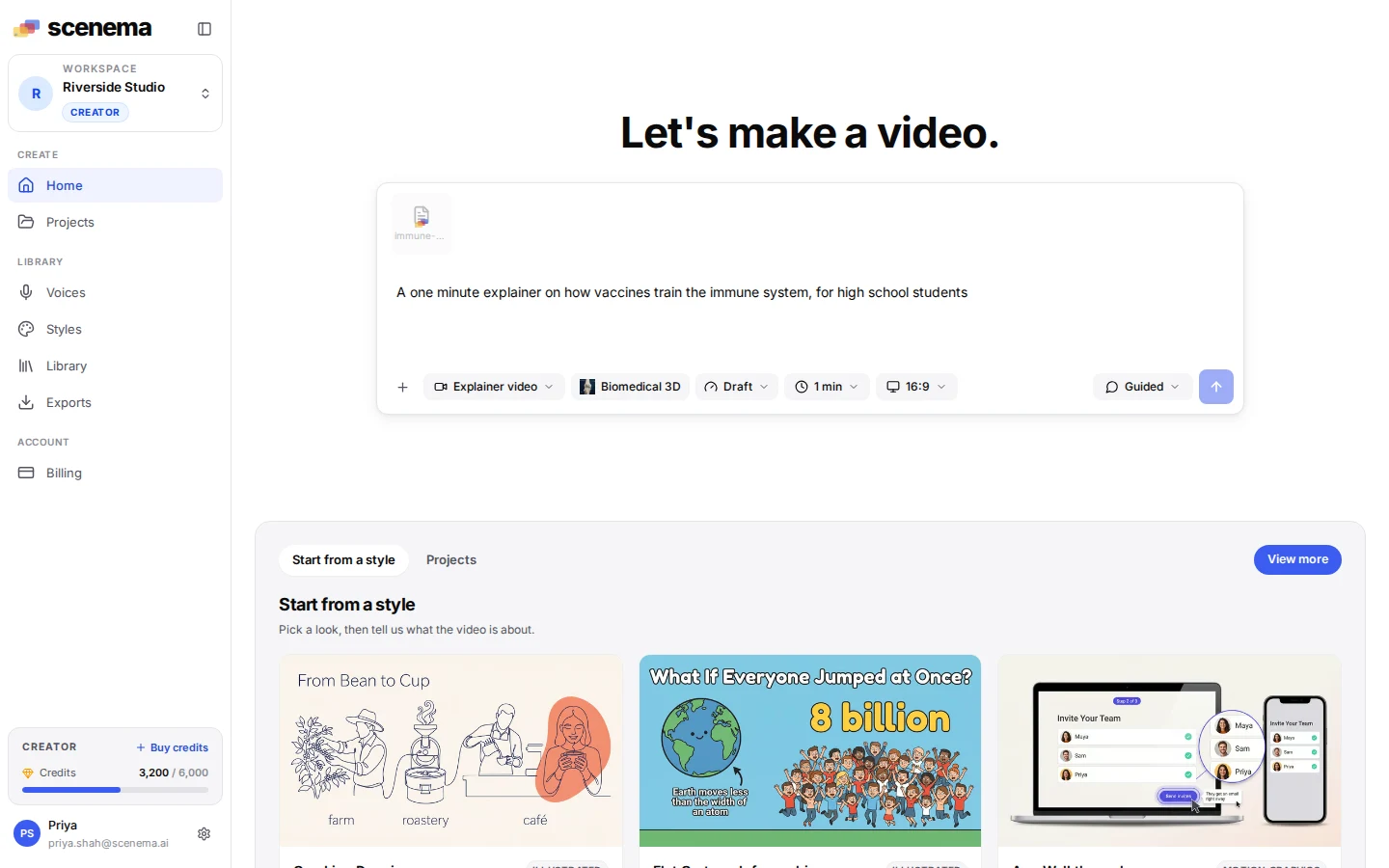
Start with what you have. Type an idea on the Home page, paste or upload a script, attach documents, slides, images, audio or a YouTube video, or bring your own narration. Pick the length and the shape if you like, then start the project. Files are read once and kept in your library for later projects.
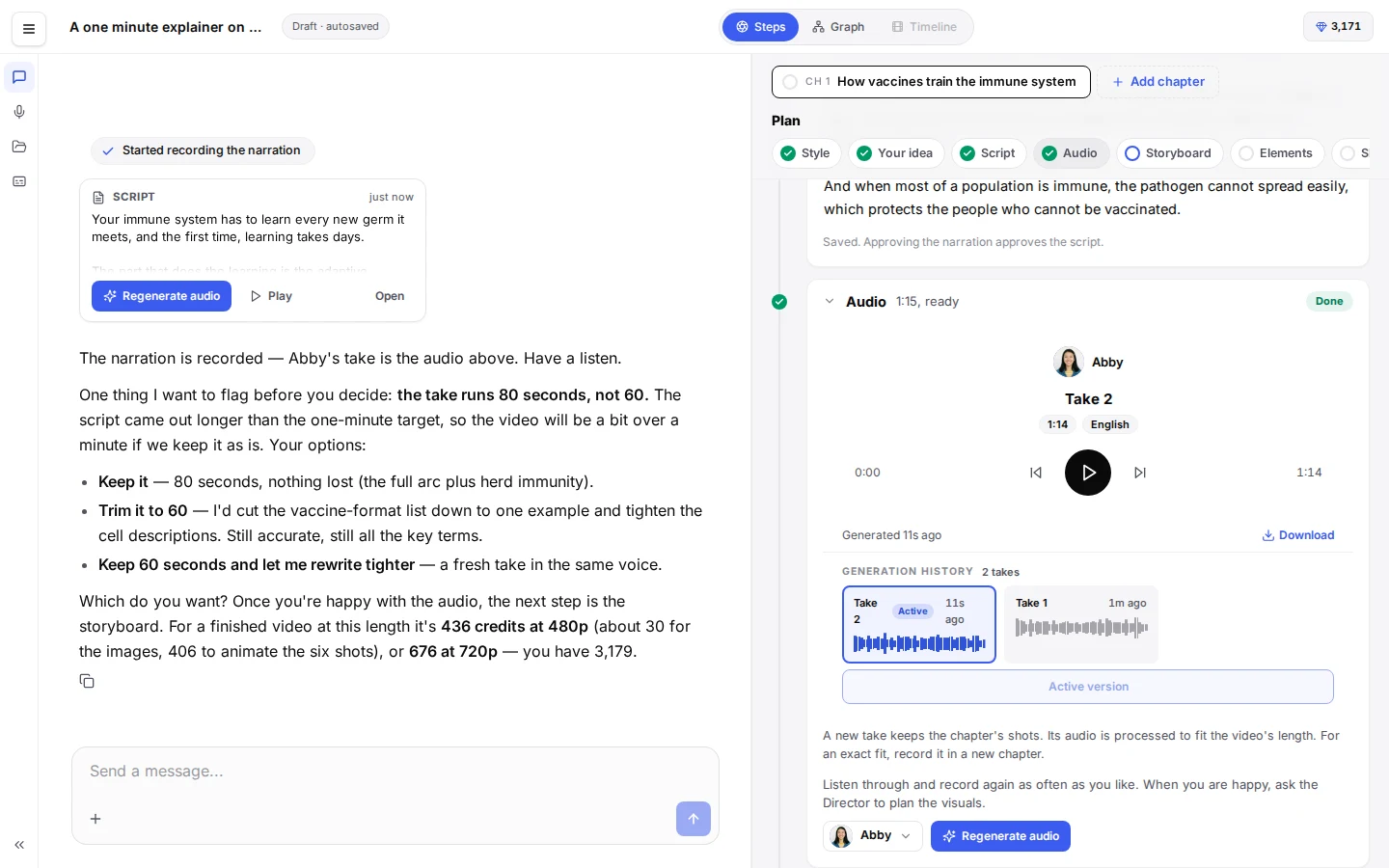
Shape the narration. The Director asks the choices it needs on cards in the chat: the shape when you left it open, the style, the narrator, then the script it wrote, which you record or ask to change. Listen to the narration and approve it on its card. Every recording is kept as a take, so an earlier one is always one click away.
The Director plans the shots. Each chapter becomes a plan of its shots: the recurring characters and places, a stage for every place, and a keyframe for every shot, timed to the narration. Ask the Director in the chat to change what a shot shows or how it moves; only the shots the change touches are planned again.
Keyframes are drawn. Characters, places and keyframes are drawn in the chosen style, so the same people and places look the same in every shot. Redraw any of them until it is right; each version is kept.
Animate the shots. Choose a quality (Draft at 480p for a quick preview; Standard at 768p, which every plan starts on, for finer text and face rendering; High Definition at 1080p for commercial and broadcast use) and animate one shot, a few, or the whole chapter. Animation is optional: a shot without a clip plays its keyframe with a slow pan and zoom.
Export. Export the whole video or chosen chapters as an MP4, with captions in a style of your choice. Renders usually take 5 to 15 minutes, and Scenema emails you when the video is ready. Download it from the timeline or the Exports page.
Two ways to work, chosen on a card in the chat once you approve the narration:
@ in the composer or the chat to use it in a project.Every account starts on the Free plan with 200 credits, enough to try the whole studio: a video of about 30 seconds at Standard quality (768p), with a watermark. Paid plans renew a monthly credit allowance and raise the limits on length, quality, voices, styles and team size.
| Plan | Credits | Highlights |
|---|---|---|
| Free | 200, once | Videos of about 30 seconds, Standard quality (768p), watermark |
| Starter | 1,000 a month | Any length, chapters, up to 768p, one cloned voice, buy extra credits |
| Creator | 3,000 a month | Every quality tier, custom styles, 10 cloned voices, team workspace for 15, per shot exports |
| Pro | 15,000 a month | Up to 1080p, 25 cloned voices, unlimited team, highest queue priority |
Credits pay for the Director’s work in the chat, narration, images, animation and exports; browsing the app and reading what exists cost nothing. Current prices are on the pricing page, and the Pricing FAQ answers the common questions.