API dashboard
The API dashboard shows everything your workspace does with the Narration API and the Video API: what each request sent, what it cost, and whether its webhook reached your server. Open API in the Scenema sidebar. Each workspace has its own dashboard, and the page always shows the workspace you are in.
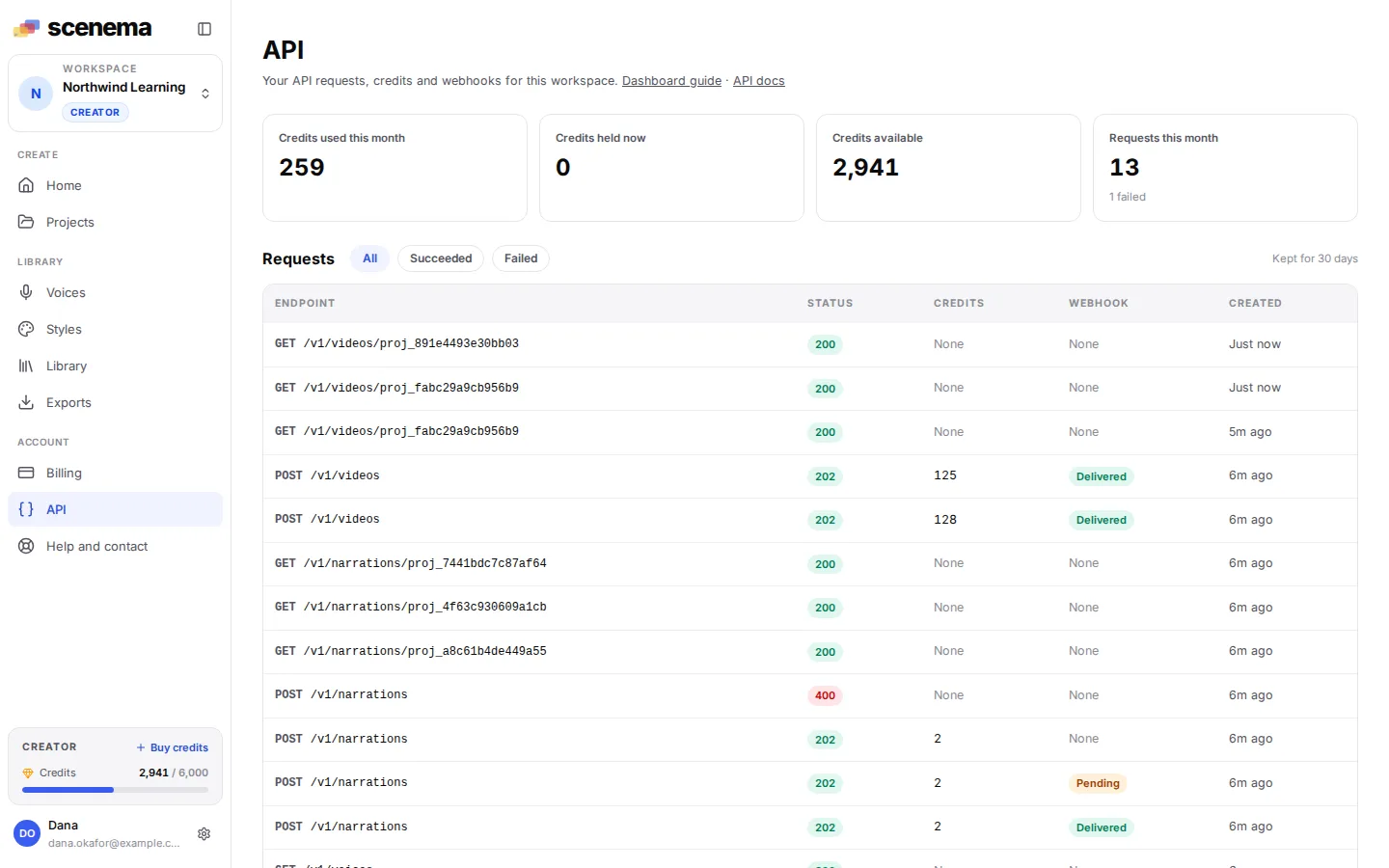
The page refreshes itself every few seconds while it is open, so a narration or video shows up as soon as you send it, and its credits and webhook change as the work finishes. Everything on it is also in the API, so you can build the same view into your own tools: see Usage and requests and Webhooks.
Usage this month
Four tiles at the top count this calendar month (UTC), in credits:
| Tile | What it counts |
|---|---|
| Credits used this month | Credits the API charged for finished narrations and videos. |
| Credits held now | Credits set aside for narrations and videos that are still running. When one finishes, it is charged what it used and the rest goes back to your balance. |
| Credits available | What your workspace can spend right now, on the API and in the app. |
| Requests this month | Every request in the log this month, with how many of them failed. |
The request log
Below the tiles is every request your API keys made in the last 30 days, newest first, 25 to a page.
| Column | What it shows |
|---|---|
| Endpoint | The method and path, for example POST /v1/videos. |
| Status | The HTTP status Scenema answered with: green for success, red for 400 and above. |
| Credits | For a request that made a narration or video: 12 held while the work runs, then the credits it was charged. Reads and refused requests cost nothing and show None. |
| Webhook | Where the request’s webhook stands: Pending while Scenema is still trying, Delivered once your server answered with a 2xx, Failed when every attempt failed. None when the request asked for no webhook. |
| Created | When the request was made. |
Every request that creates or changes something is logged, and so is every request that failed. A successful read, such as polling a video’s status, is logged at most once every five minutes per path, so a polling loop does not fill the log.
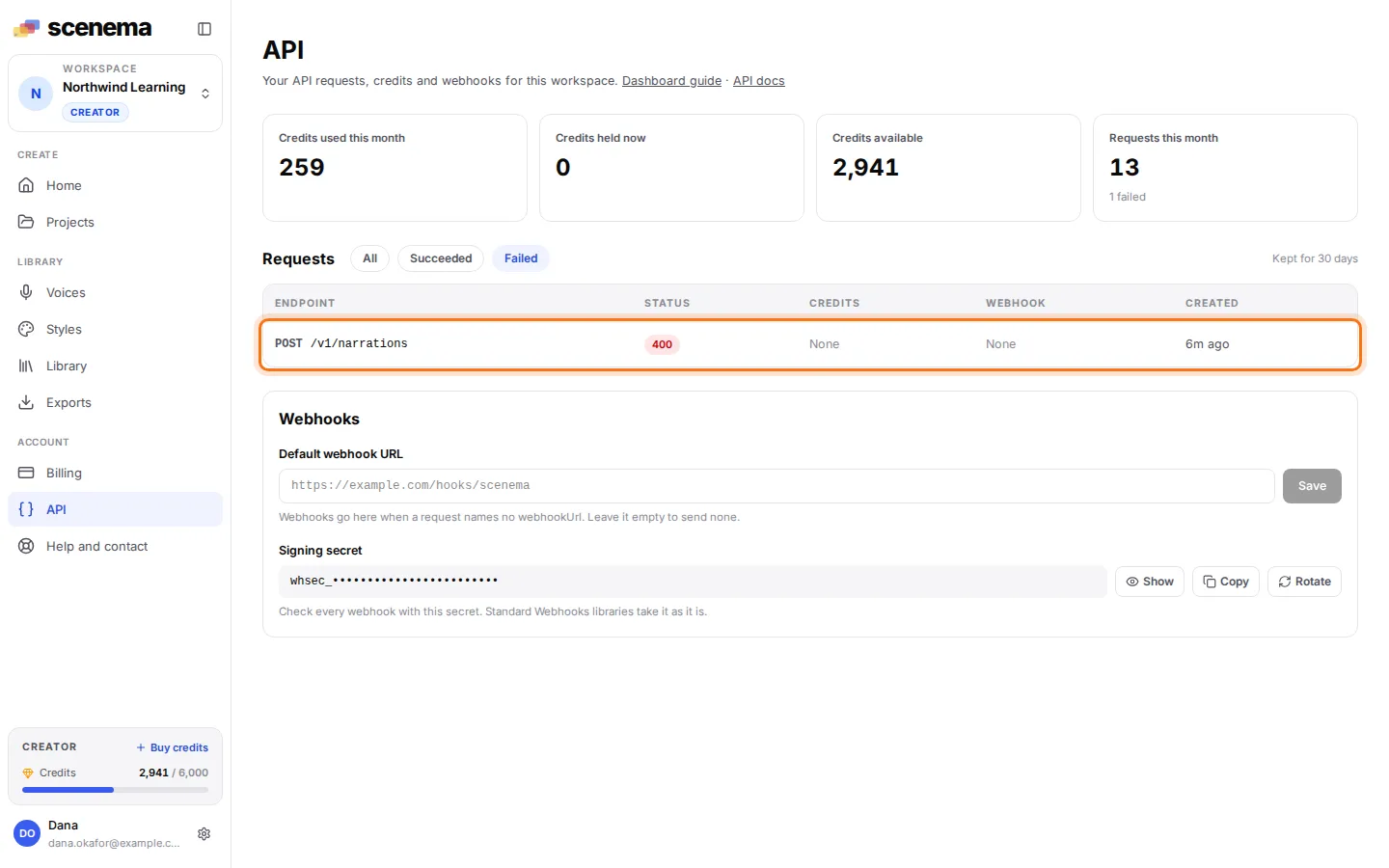
Use All, Succeeded and Failed above the log to narrow it down. Failed is the fastest way to find a request your code got wrong, such as a voice id that does not exist (highlighted):
A request in detail
Click a request to open its detail on the right.
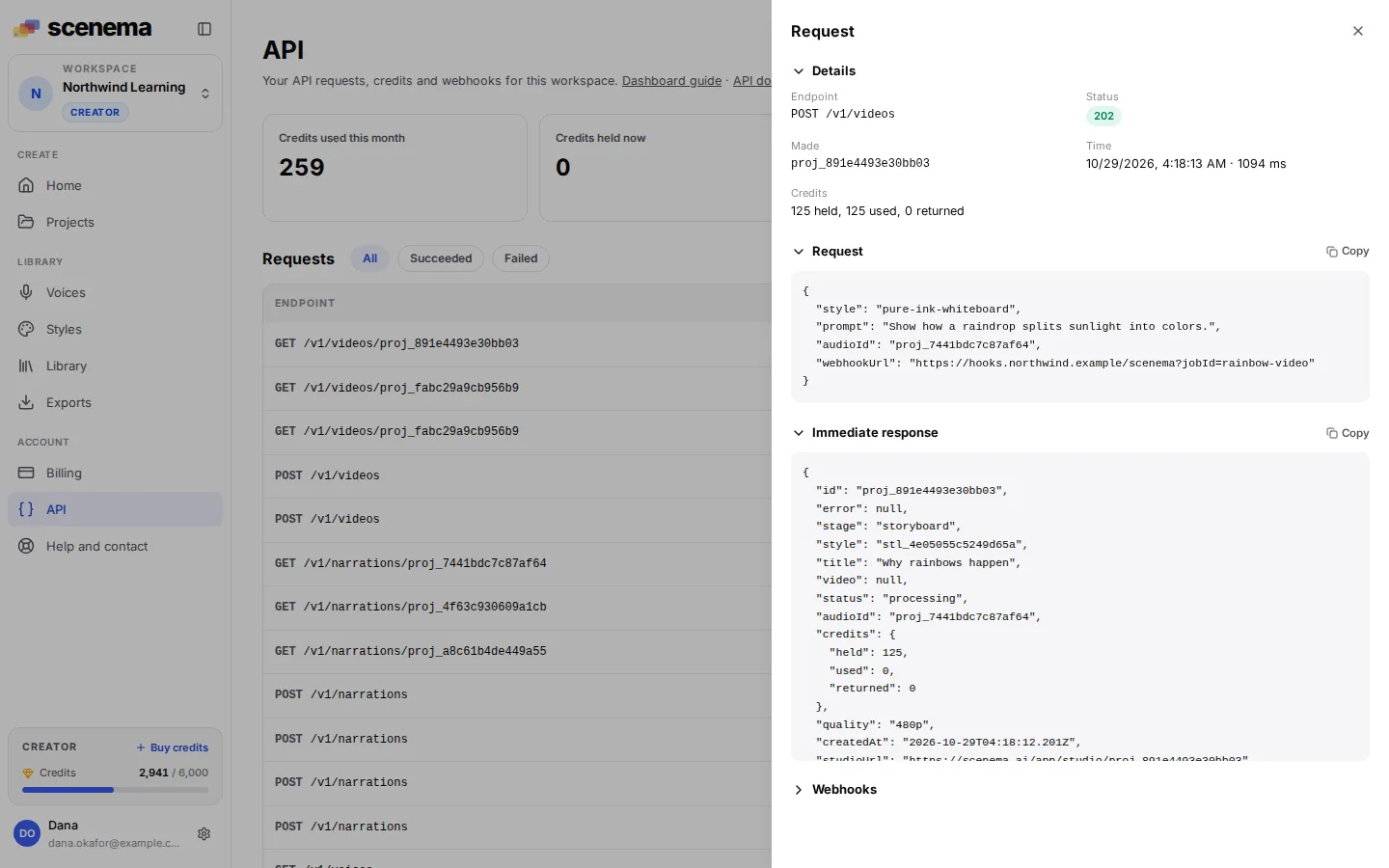
From the top:
- Endpoint and Status: the method, path and HTTP status.
- Made: the id of the narration or video the request created. Use it with
GET /v1/narrations/{id}orGET /v1/videos/{id}. - Time: when the request arrived and how long Scenema took to answer it.
- Credits: how many were held when the request was accepted, how many the work used, and how many went back to your balance.
- Request: the body your code sent. Long values are shortened, anything that looks like a secret is removed, and an uploaded file shows as its name, type and size.
- Immediate response: what Scenema answered right away. For a narration or video this is a
202withstatus: "processing". The finished result comes later, in the webhook and fromGETon the narration or video. - Webhooks: every webhook the work sent, described below.
Each section folds: click its title to close or open it, for example to put a long payload out of the way. Request, Immediate response and each webhook’s Payload sent have a Copy button, so you can paste a body straight into a bug report or a test.
Webhooks and retries
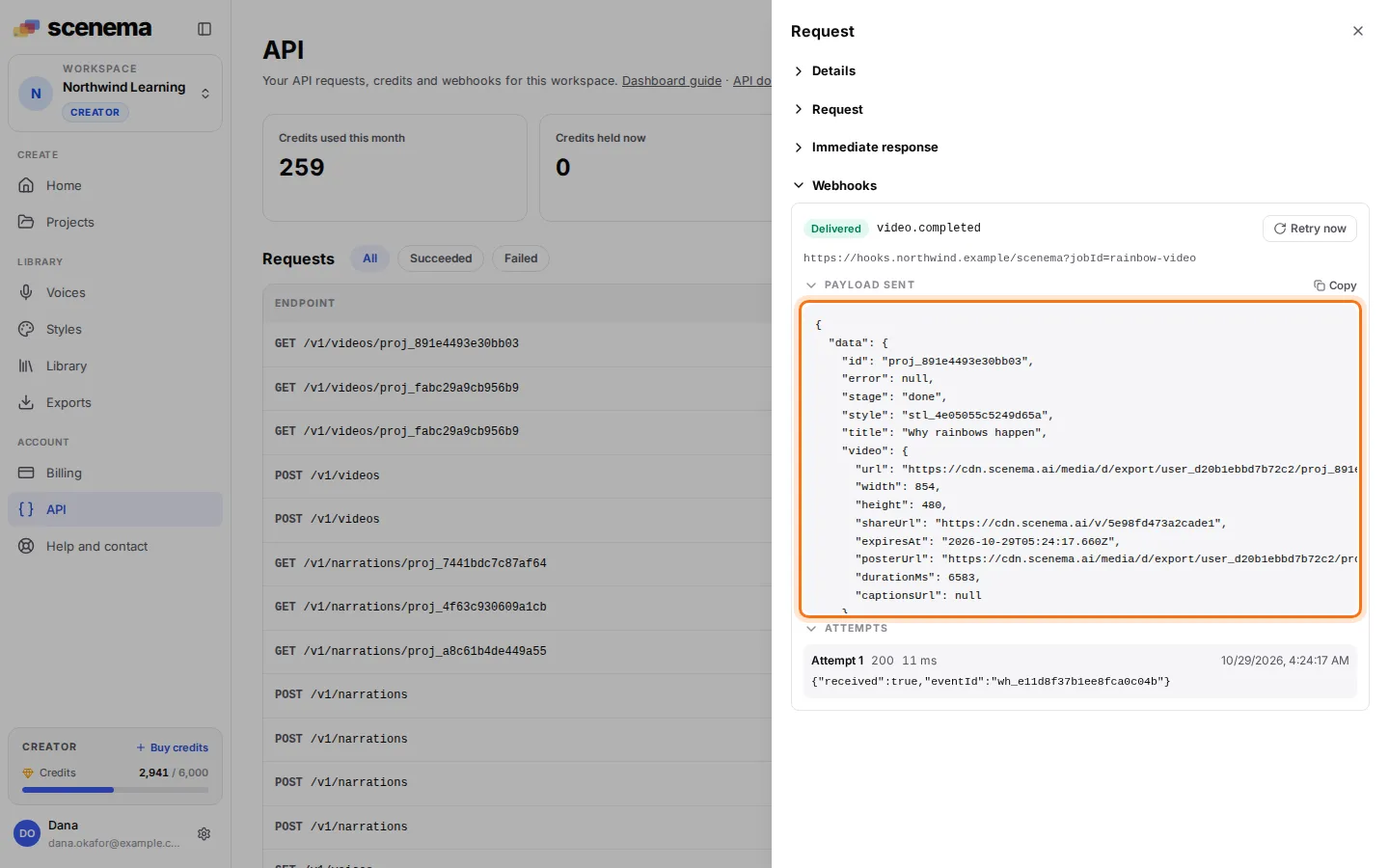
When a narration or video finishes, Scenema sends one webhook to the URL the request named (or to your default webhook URL). The detail lists each delivery with:
- its state (Delivered, Pending or Failed) and its event, such as
video.completed; - the URL it was sent to;
- Payload sent: the exact body your server received, with the finished narration or video and its links;
- every attempt: its number, the status code your server answered (or No answer with the reason, such as a timeout), how long it took, and the start of your server’s reply.
The highlighted payload below is the body of a video.completed webhook, with the finished video and its links:
When your server does not answer with a 2xx, the delivery stays Pending and Scenema tries again on a schedule: after 30 seconds, then 5 minutes, 30 minutes, 2 hours, 5 hours, 10 hours and 10 hours, eight attempts over about a day. While it is pending, the detail says when the next attempt goes out (1 in the image below, for example Next retry in 4 min 30 s), next to Retry now (2).
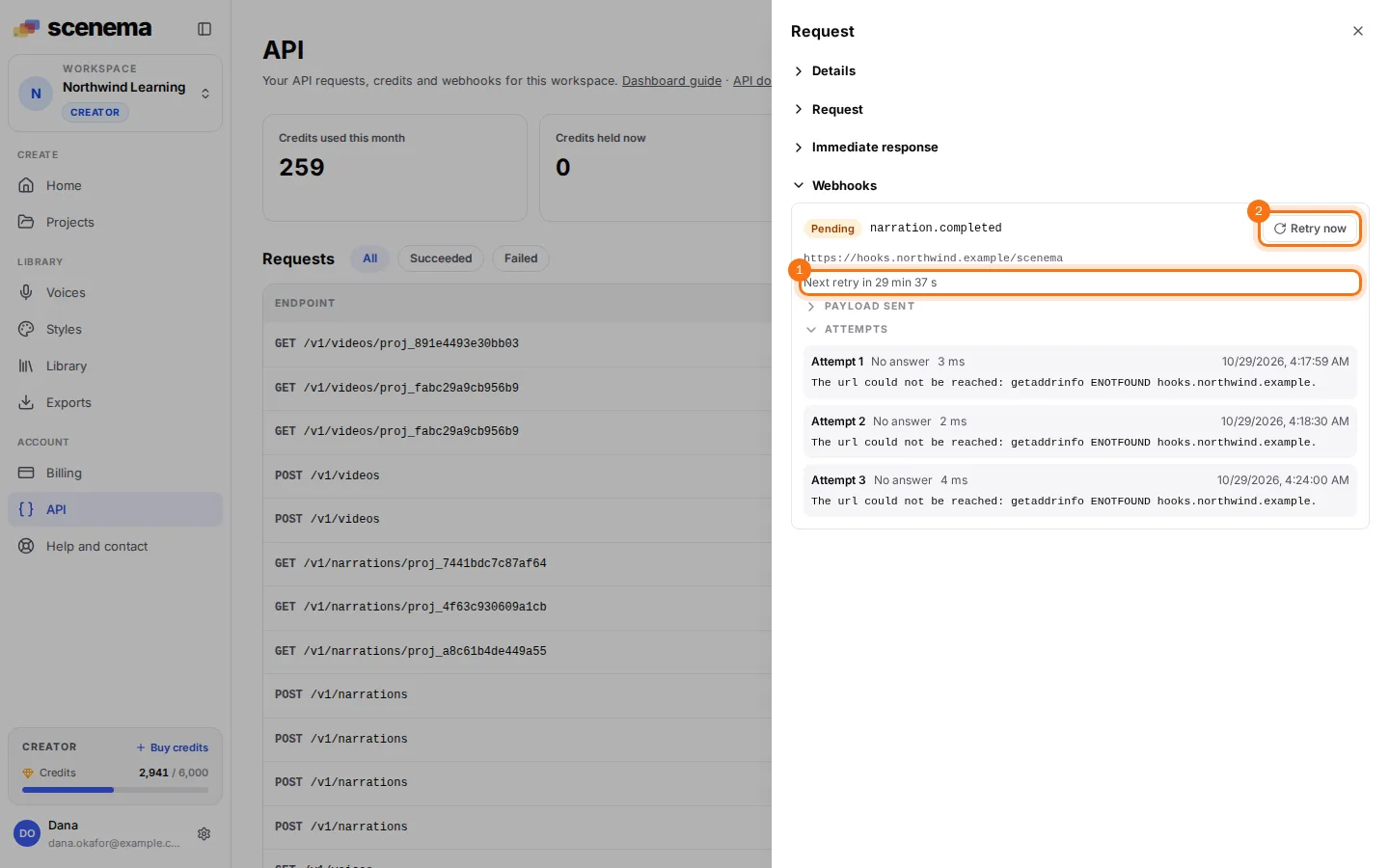
Fixed your endpoint? Click Retry now to send the webhook again at once. A manual attempt is marked Sent by hand, carries the same webhook-id so your server can drop a duplicate, and leaves the schedule as it was. Retry now also works on a delivered webhook, for example to test a new receiver with a real payload.
The links inside a payload are signed and expire after about an hour. To get fresh ones, call GET /v1/narrations/{id} or GET /v1/videos/{id}.
Webhook settings
The Webhooks box at the bottom of the page holds two settings for the whole workspace.
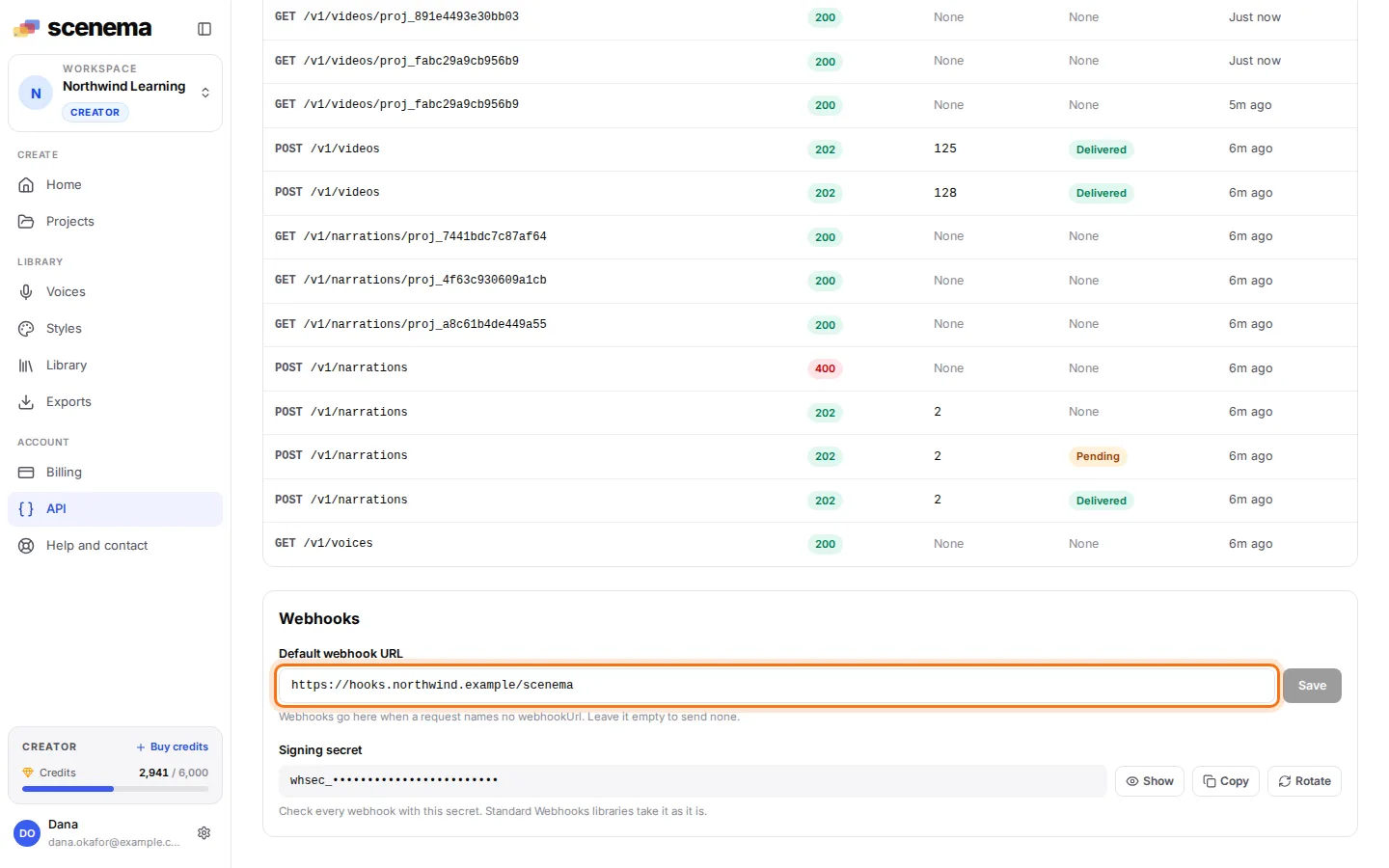
Default webhook URL
Save a URL in the highlighted field and leave webhookUrl out of your requests: every narration and video that names no webhookUrl sends its webhook to this URL. A request’s own webhookUrl always wins. Clear the field and save to send no webhook by default. The URL must be https on a public host.
Signing secret
Every webhook is signed with your workspace’s secret, per the open Standard Webhooks spec, so your server can check that it came from Scenema. Show reveals the secret, Copy copies it, and Verify the signature explains how to check a webhook with it.
Rotate makes a new secret at once. For the next 24 hours every webhook is signed with both the new and the old secret, so you can switch your server over without missing one.
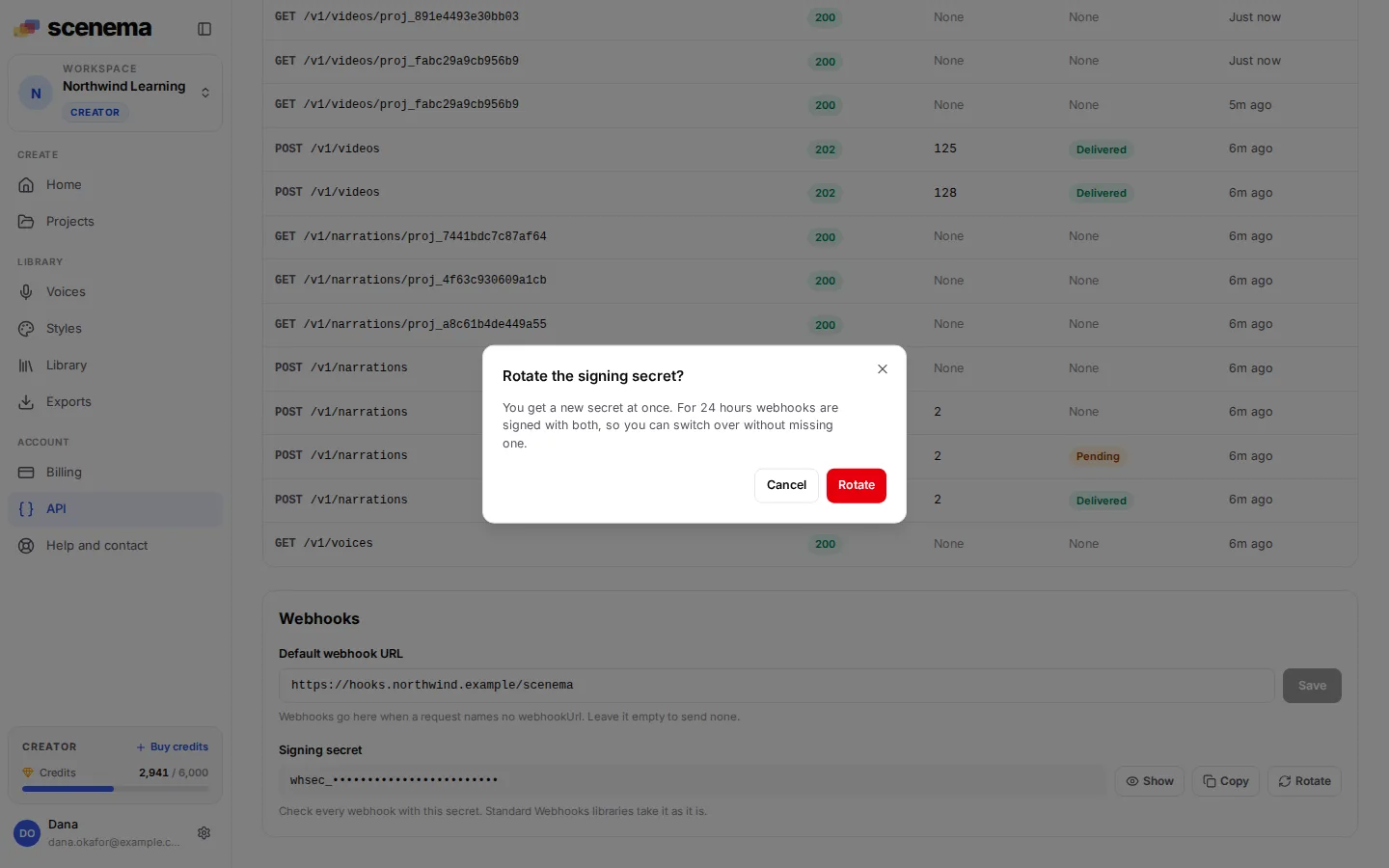
Only the workspace owner and admins can change the default URL or see and rotate the secret. Other members see the request log and the default URL.
Plans without the API
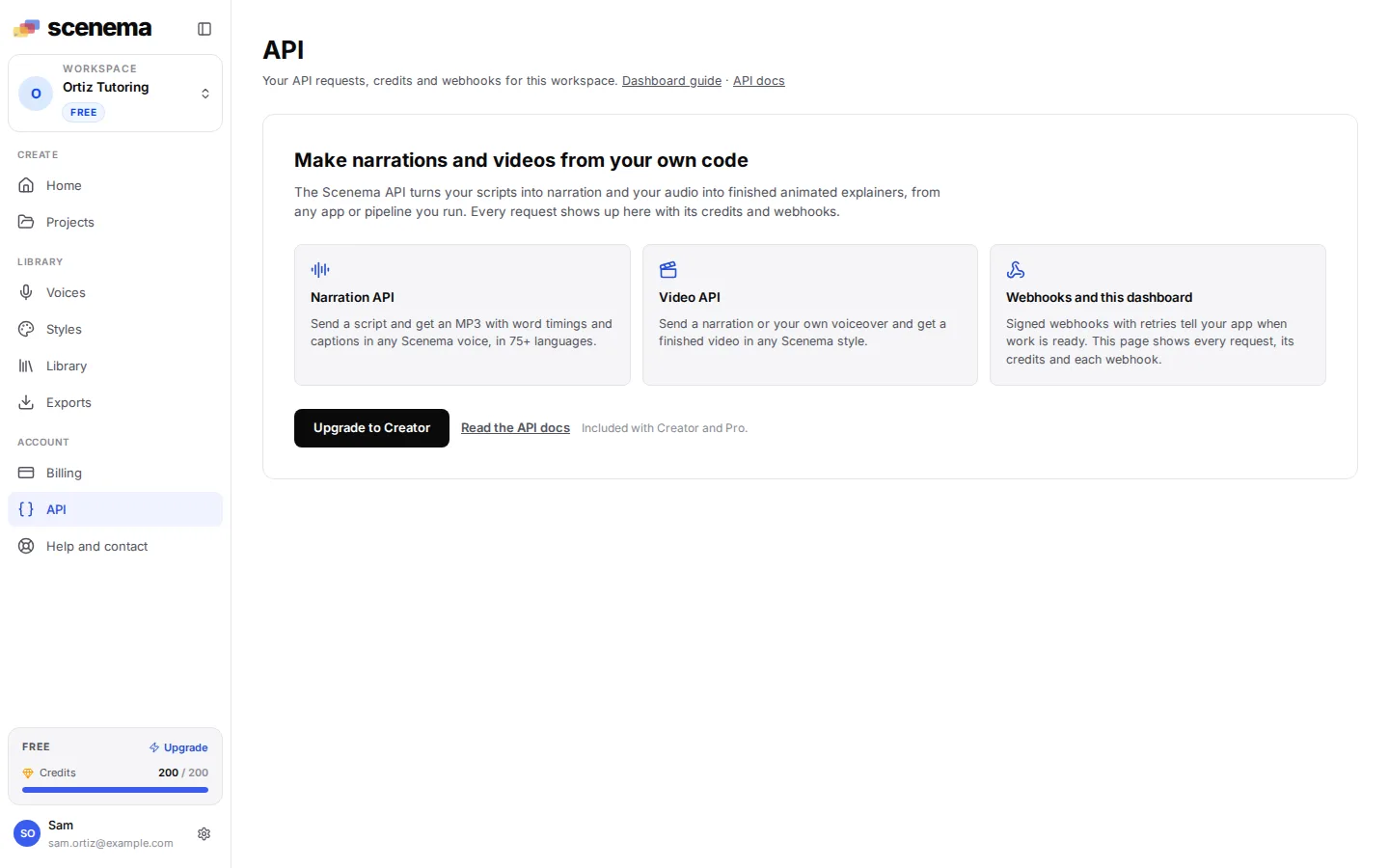
On a plan without the API, the API page shows what the Narration and Video APIs do, with links to their docs and an Upgrade to Creator button. The dashboard guide and the API docs are linked at the top of the page on every plan.
The same data in the API
| On the page | In the API |
|---|---|
| Usage tiles | GET /v1/usage |
| Request log | GET /v1/requests |
| A request in detail, with its webhooks | GET /v1/requests/{id} |
| Retry now | POST /v1/webhooks/deliveries/{id}/retry |
| Signing secret, Rotate | GET /v1/webhooks/secret, POST /v1/webhooks/secret/rotate |
See Usage and requests and Webhooks for the fields.