guides
What is a storyboard? A guide for explainer videos (2026)
Contents: What is a storyboard?
A storyboard is a sequence of drawings or images that shows each shot of a film, animation, or video before production. The storyboard is the visual plan that the director, animator, or explainer creator works from. The panel records what the camera sees, what moves, what the narration says, and how long the shot lasts. A storyboard is a working document. It is the cheapest place to test an idea, catch a continuity error, and agree on the look before production begins.
In an animated explainer, the storyboard is also the production plan. Scenema, for example, writes the script, plans the storyboard, defines the recurring characters and places, and draws a keyframe for every shot before it animates anything. A character stays consistent from the first shot to the last. A video can hold one or more chapters, each up to 30 minutes long.
What is a storyboard?
The storyboard is a prototype of the video, so it is meant to be tested. In Creative Confidence, Tom Kelley and David Kelley count the storyboard among the quick prototypes a team can build to test an idea.
Storyboards are used in film, animation, advertising, video games, and UX design. A live-action board may show lens and lighting notes, while an animation board shows poses and timing. An explainer board adds the narration, the on-screen text, and the motion that carries the idea.
The worked example below follows one video from a PDF and a prompt to a 16-panel storyboard and the finished video.
What does a storyboard include?
Besides the drawing, a storyboard panel holds the decisions the production team needs:
- Visual frame: The drawing, photo, or generated image that shows the composition.
- Shot type and angle: Wide, medium, close-up, high-angle, low-angle, or over-the-shoulder.
- Camera movement: A pan, a tilt, a zoom, a track, or a static frame.
- Action: What the character or object does in the shot.
- Dialogue or voiceover: The exact line spoken during the panel.
- On-screen text: Titles, labels, numbers, or captions that appear in the frame.
- Timing: The length of the shot.
- Scene and shot numbers: The labels that keep the sequence in order.
A storyboard does not need finished art, because clear staging, framing, and notes matter more than rendering. Many directors board with rough thumbnails, stick figures, or photo references, then hand the sequence to the artists who finish the frames.
In an explainer, the narration decides what the panel shows. For example, the line “For a year and a half, Nakamura rebuilt it by hand each morning” needs a picture of the reactor, the figure, and the work. The storyboard decides whether that is a wide shot of the workshop or a close-up of the hands.
Why does a storyboard matter in an explainer video?
An explainer is carried by narration, so the viewer hears the argument before seeing the pictures. The storyboard is where the team checks that the pictures match the words.
- Clarity: A script can stay abstract until someone draws the shots, and the board makes it concrete for the director, the illustrator, and the client.
- Early fixes: Changing a panel takes minutes, whereas changing an animated shot takes more time and money.
- Consistency: The board defines the cast and the places before any shot is drawn, so a character stays the same across dozens of shots.
In review, the team checks the panels against the script, and the animatic plays them at the pace of the finished video. Any panel where the viewer loses the thread gets redrawn before an animator touches it.
In Scenema, the narration is recorded first, and the Director plans the storyboard around the words. Each shot is timed to the line it illustrates, which keeps the picture and the voice together. When a shot needs to change, the storyboard shows the editor which shots come before and after it, so only the affected shots are replanned.
What are the 7 types of storyboards?
Each type of storyboard puts different notes on the panel:
- Film storyboard: Live-action framing, lenses, blocking, and lighting.
- Animation storyboard: Poses, acting, timing, and layout.
- Explainer storyboard: Narration-led panels with on-screen text, diagrams, and motion.
- Commercial storyboard: Product, brand, and call to action, often shown to a client.
- UX storyboard: A user journey through screens and interactions.
- Comic storyboard: Sequential art with panels and dialogue.
- Animatic: A storyboard edited to the audio, with timing, to test the sequence.
This article focuses on the explainer storyboard, which is closer to an animation board than a film board, because the narration and the motion carry the explanation. The panels can be hand-drawn, digital, or AI-generated.
How is a storyboard different from a script and a shot list?
The four formats answer different questions:
| Format | What it holds | What it answers |
|---|---|---|
| Script | Scene headings, action, dialogue, and narration | What is said and what happens? |
| Storyboard | Panels, framing, camera, action, voiceover, and timing | What does the audience see? |
| Shot list | A production checklist for each shot | How do we capture it? |
| Animatic | Storyboard panels timed to the audio | Does the sequence work? |
A script can be read, whereas a storyboard has to be seen. For an explainer, these two documents matter most, while the shot list serves the crew and the animatic checks the timing.
What are the 7 steps in storyboarding?
The exact process varies by studio, but most teams work through seven steps:
- Read the script and mark the beats. Find the moments where the argument turns.
- Break each beat into shots. Decide how many panels the beat needs.
- Sketch thumbnails. Test framing and composition in small boxes.
- Draw the panels at the final aspect ratio. Use 16:9 for landscape, or 9:16 for vertical.
- Add the notes. Camera, action, voiceover, on-screen text, and timing.
- Review the sequence. Check pacing, continuity, and whether the visuals carry the narration.
- Build an animatic. Cut the panels to the audio and watch the timing.
In an AI explainer, steps 1 to 6 happen in the storyboard before any shot is animated. Scenema’s Director does the script, the shot plan, and the panel prompts, then draws and animates each shot. In guided mode, the storyboard is a review point that stays in use through production.
How does AI turn a storyboard into an explainer video?
In Scenema, a video moves from script to finished file in five stages, with the storyboard in the middle:
- Script and narration. The Director writes the script from your prompt or files, or uses the script you provide. Each chapter’s narration is recorded in one continuous pass in the same voice.
- Storyboard. The Director sets the palette, the places, the recurring characters and props, and the shot plan timed to the narration.
- Entity references. Every recurring character, place, prop, or logo gets a written brief and a reference image in the chosen style. The reference is attached to every shot where the element appears.
- Keyframes and animation. Each animated shot gets a keyframe prompt and a motion prompt. Scenema draws the keyframe, then animates it with the video model that suits the style and the motion. A shot can also stay a still image with a slow pan and zoom.
- Assembly. The shots are assembled with the narration into an MP4.
Scenema makes narrated or music-driven animated explainers, not live-action films or lip-synced dialogue between characters, and the storyboard is built for narration, motion graphics, and animated scenes. The storyboard and design models guide explains the model choices in more detail.
Why should you review the storyboard before animating?
The most expensive place to make a change is a finished shot. Once a shot is animated, a correction means generating that clip again, and the credits spent on the first version are gone. At the storyboard stage, the same change costs a single keyframe, whereas after animation it costs a new clip.
In Scenema, you can change a shot while it is still a keyframe by telling the Director what to change in plain words. You can tighten the framing, move the reactor to the next panel, or keep Nakamura in the shot and turn him toward the diagram. The Director revises that shot and redraws the keyframe. The rest of the board stays as it is, and no animation credits are spent on a shot you are still deciding on.
Review the whole board in one pass before you approve animation. Check off each item as you go.
Pre-animation review checklist
A problem found once across the board is cheaper than the same problem found in every finished clip.
Why does a storyboard keep characters consistent in a long video?
A long explainer can have dozens or hundreds of shots. The storyboard decides which character, place, and prop appear in each one. If the board only says “the engineer” in one panel and “Nakamura” in another, the model has no reason to draw the same person.
Scenema stores every recurring element as an entity with a reference image, and the storyboard attaches the entity to every shot where it appears. The reference is injected into the keyframe and the animation, so the face, outfit, and silhouette stay stable across the video.
The style, the palette, and the narrator are fixed for the whole project, so the look and the voice stay the same from shot to shot.
What does a storyboard example look like?
The video below is a 3-minute 20-second whiteboard explainer made in Scenema from a PDF of Shuji Nakamura’s Nobel lecture and one prompt. It uses the Ink and Hatch Whiteboard style and Cordelia, a British narrator.
The prompt that started the video
Use the attached Nobel lecture by Shuji Nakamura to make a 3 minute animated explainer for curious adults with no physics background: how one company engineer invented the blue LED that made white LED lighting possible.
Tell it as a story. Explain why a blue LED mattered: white LED light needs blue. Follow Nakamura from being treated as a technician because he had no PhD, to spending 1.5 years rebuilding a reactor by hand until it grew clean gallium nitride. Then show the two breakthroughs: finding that hydrogen was blocking p-type gallium nitride, and growing the indium gallium nitride layer that glows blue. End with the first bright blue LED in 1993, how a yellow phosphor turns blue light white, and the payoff: LEDs give about 300 lumens per watt, against 16 for an incandescent bulb.
Keep Nakamura as one recurring character. Explain the physics with simple diagrams of electrons and holes meeting in a thin glowing layer. Avoid equations. Use a hand-drawn doodle style with a warm, curious narrator.
The script opens with the problem: “Red and green LEDs existed. But without blue, how could solid-state lighting make efficient white light?”
The storyboard turned that script into 16 shots, which move from the opening puzzle to the missing color at the end:
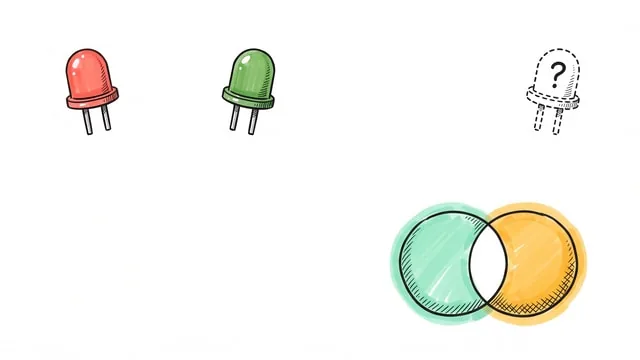
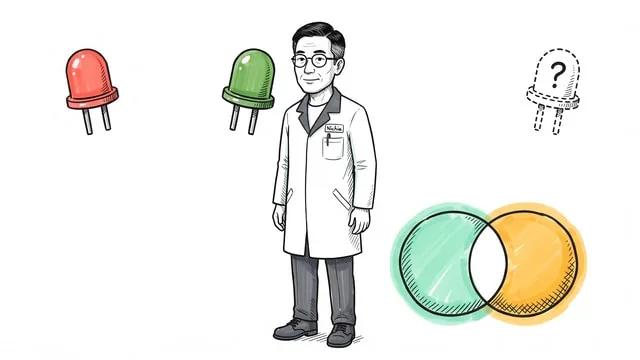
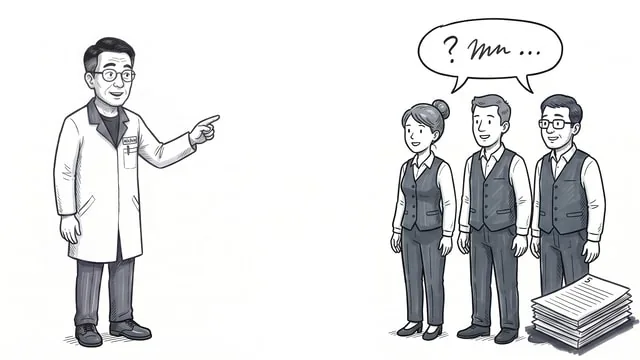
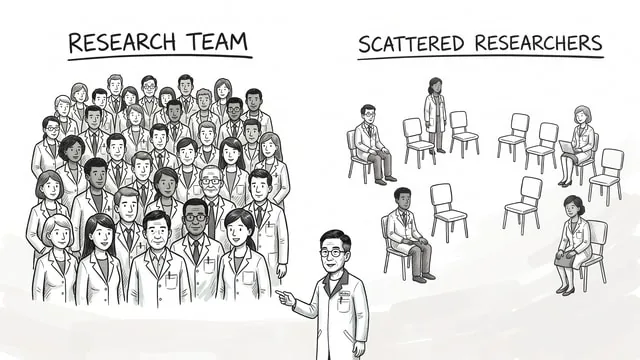
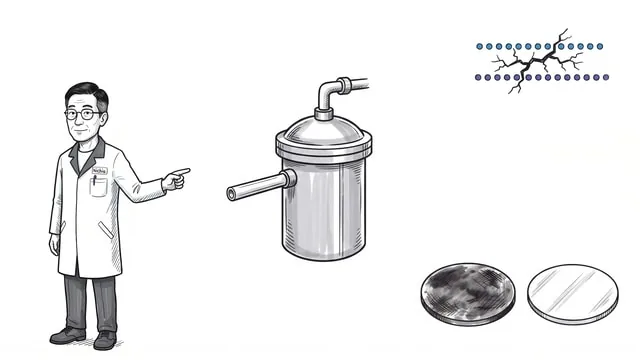
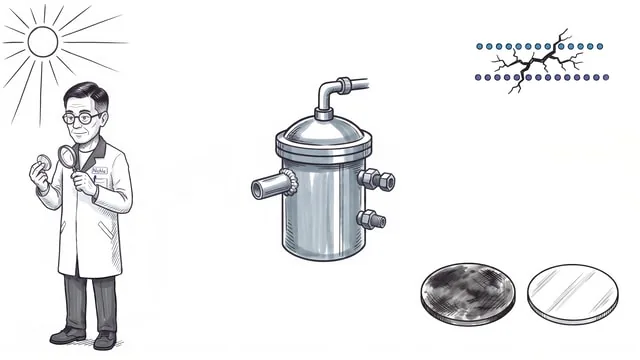
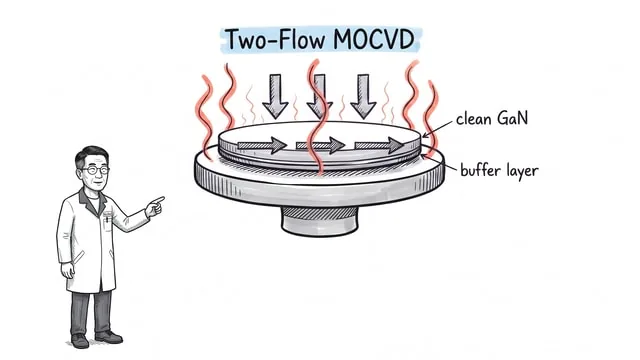
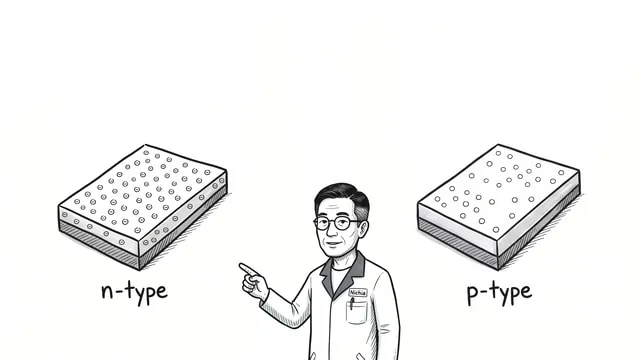
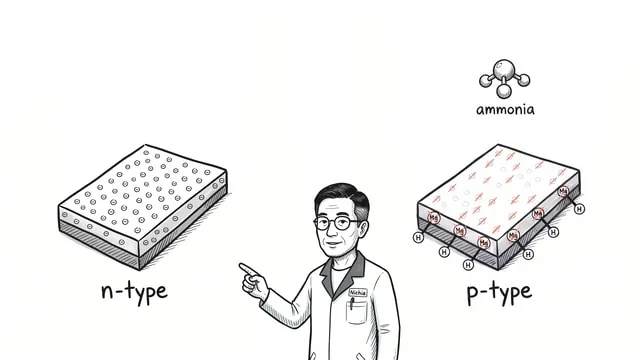
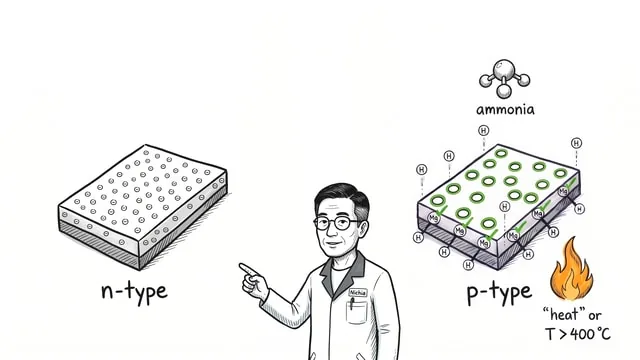
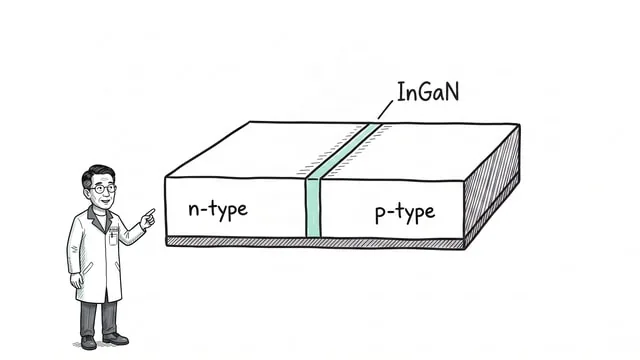
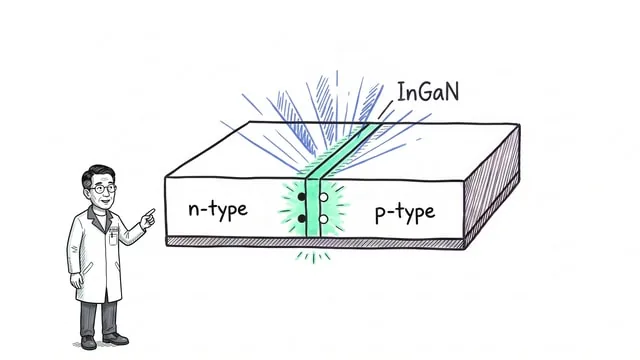
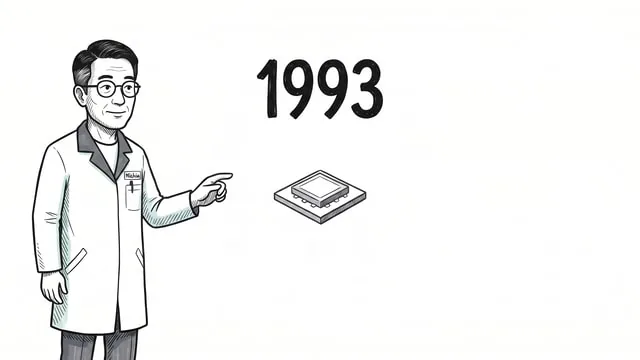
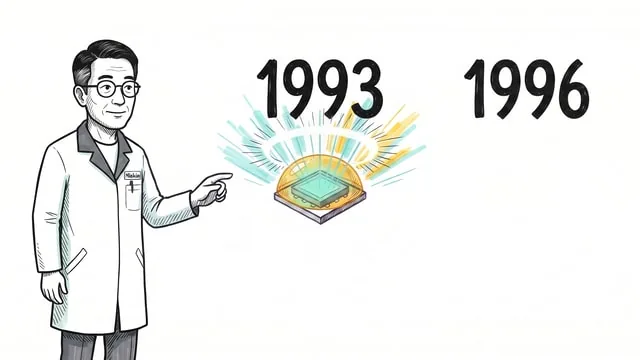
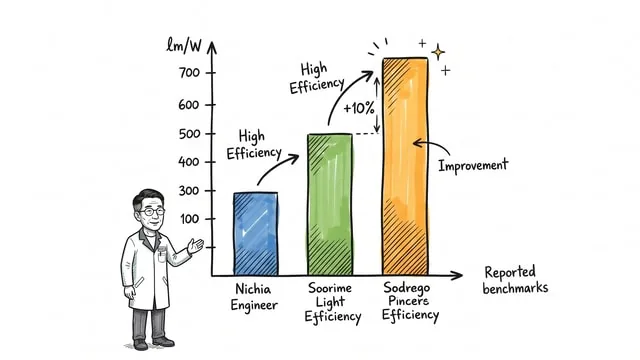
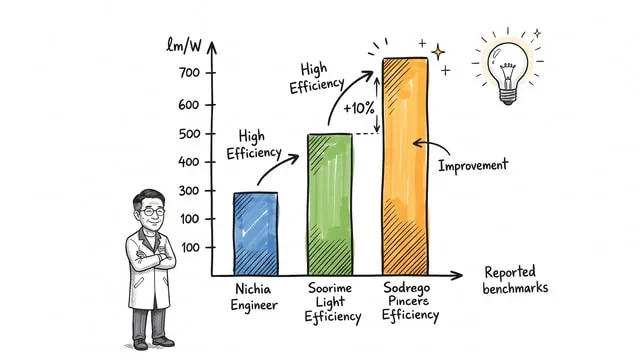
Each panel is the keyframe drawn for its shot before animation.
The finished video was animated from those 16 panels.
The TL;DR on storyboards
What is a storyboard in simple words? A storyboard is a comic-strip version of a video. Each panel shows one shot, with notes for the camera, action, and narration, so the team can see the video before making it.
What does a storyboard include? A storyboard panel usually includes the visual frame, the shot type and camera angle, and any camera movement. It also records the character or object action, the dialogue or voiceover, and the timing. Scene and shot numbers keep the panels in order.
What are the 7 steps in storyboarding? The seven steps start with the script: Mark the beats, then break each beat into shots. Sketch thumbnails, draw the panels, add notes and voiceover, review the sequence, and build an animatic.
What are the 7 types of storyboards? The main types are film, animation, explainer, commercial, UX (user experience), comic, and animatic. A storyboard can be hand-drawn, digital, or AI-generated.
How is a storyboard different from a script? A script carries the words and audio, whereas a storyboard carries the pictures and shot notes. A shot list is the production checklist, and an animatic is a storyboard timed to the audio.
What is an animated storyboard called? An animated storyboard is called an animatic. It cuts the storyboard panels to the narration or soundtrack, so the team can check the pacing before full animation begins.
What is the difference between a storyline and a storyboard? A storyline is the sequence of events a video tells, whereas a storyboard shows how each shot of that sequence will look on screen.
Can AI make a storyboard for an explainer video? Yes, AI can. Scenema writes a storyboard from the script, defines the recurring characters, places, and props with reference images, and draws a keyframe for every shot. The storyboard becomes the working plan for the animation and guides the rest of production.
Can ChatGPT make a storyboard? ChatGPT can write a shot list and describe each panel, and it can generate images one panel at a time. A video platform such as Scenema keeps those panels in one storyboard that drives the animation.
Where to go next
- What is an explainer video? covers the format the storyboard serves.
- How to keep character consistency in AI video explains the entity system behind the cast.
- What is a long-form explainer video? covers the longer format and its structure.
- How to make a 6-minute AI explainer video from a short prompt walks through a full project.
- AI long video generator shows the end-to-end workflow.
- Current plans and prices are on the pricing page.
Sources
- Vancouver Film School, What Is a Storyboard? Visual Story Planning.
- StudioBinder, What is a Storyboard? The Fundamentals to Get You Started.
- Kelley, T. and Kelley, D., Creative Confidence.
- Scenema, Storyboard and design models.
- Scenema, How Shuji Nakamura Made the Blue LED Possible.