Why One Chatbot Answer Needs Many Programming Languages
This long form explainer follows an assistant app from development to the moment it answers a question, showing that several programming languages work together behind one reply. It separates languages that help train the model, those that serve live answers and those that run the app itself. This part covers Python for training, with tools such as PyTorch, TensorFlow and JAX, and SQL for finding and filtering data. It suits curious beginners and new developers and is drawn as sketchnotes on a dotted notebook page.
Technology Sketchnote style
- Language
- English
- Length
- 3:56
The brief
This is the brief that made the video. Start from it and change what you like.
Make a landscape (16:9) educational explainer of about four minutes on why a chatbot assistant relies on many programming languages instead of one. Open with someone typing a question into an assistant app and getting an answer in seconds, then reveal the layers behind it: Python for building the model, C++ for calculations, CUDA C++ on the graphics chip and JavaScript, Swift or Kotlin for the app. Explain that some languages help teach the model before you open the app, some help it respond now and some only make the app usable. Then follow the assistant from development onward as the first stops of a tour of 21 languages. Cover Python, using an image recognition example with a bicycle, a training loop and libraries such as PyTorch, TensorFlow and JAX, then SQL for finding and filtering records such as the last six months of data. Use a clear, accessible and curious narration and sketchnote visuals on a dotted notebook page.
The script
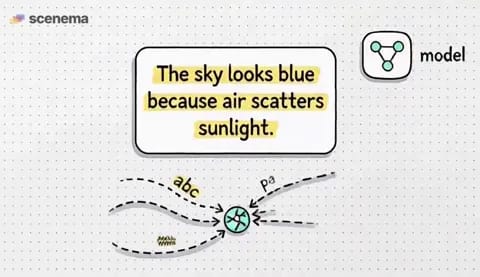
You open an AI app, type a question, and get an answer in seconds. It looks like one program doing one job. But the AI model answering your question might have been built using Python. Some of its calculations might run through C++. A graphics chip could be doing the hardest math using code written in CUDA C++. And the app you're looking at might use JavaScript, Swift, or Kotlin. One AI answer, several completely different programming languages. And here's the interesting part. Some of these languages help teach the AI before you ever open the app. Others help it respond right now. And a few don't work on the AI model at all. They simply make it possible for you to use it. So why doesn't everyone just build AI using one language? To understand that, let's follow an AI assistant from the moment developers begin building it to the moment it answers your question. Along the way, we'll meet 21 programming languages and see exactly what each one does. One, Python, the language that helps teach AI. Let's say you're building an AI assistant that can recognize objects in pictures. You want it to look at a photo of a bicycle and understand that it's a bicycle. But a computer doesn't automatically know what a bicycle looks like. To help it learn, developers can show a machine learning model huge numbers of images. Some contain bicycles, others contain cars, dogs, buildings, or people. During training, the model makes predictions, measures its mistakes, and adjusts the numbers inside itself. Those adjustments gradually help it recognize patterns. Python is one of the main languages developers use to organize this process. They can write Python code to load pictures, prepare the training data, run experiments, and measure how accurately the model identifies objects. Python is popular partly because its code is relatively easy to read. And developers don't have to build every piece of an AI system themselves. They can use tools called PyTorch, TensorFlow, and JAX. These are not separate programming languages. They're software tools that help developers work with mathematical operations and machine learning models. Think of Python as the language used to give instructions and these tools as specialized equipment for carrying them out. But before an AI model can learn from information, someone needs to find and organize that information. And that's where our next language comes in. Two, SQL, the language that finds information. Imagine a company has millions of customer records stored in a database. A database is simply an organized place for keeping information. The company wants an AI system to analyze customer purchases, but it doesn't need every record. Maybe it only needs purchases made during the last 6 months. SQL, usually pronounced sequel or SQL, helps retrieve exactly that information. A developer can write a SQL query that basically says, find every purchase made in the last 6 months and show me the product and price. The database searches its records and returns the matching information. SQL can also count purchases, calculate totals, and combine information from different tables. In some systems, SQL can even be used to create machine learning models directly. But SQL is not what makes a language model understand sentences. Its main job is finding, filtering, and organizing structured information. Now imagine you've collected all that information. The next question is whether it reveals anything useful.