Custom Styles in Scenema: Make Every Video Your Look
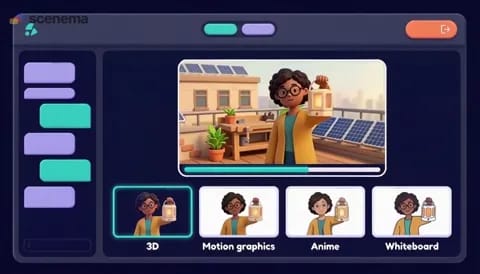
This product demo shows creators and brands how to make a custom visual style in Scenema. You open Styles, add up to six images, up to three YouTube links or a short description, and optionally a name and a hint. In about a minute Scenema draws a model sheet in your look, and the style then appears in every project in your workspace, where the Director designs each shot in it. It is shown in the Electric Blue SaaS Vector style with translucent dashboard cards.
Product demo Electric Blue SaaS Vector style
- Voice
- Dalisay
- Language
- English
- Length
- 1:01
The brief
This is the brief that made the video. Start from it and change what you like.
Make a 60 second landscape (16:9) product demo for YouTube introducing Scenema custom styles. Open with the idea that every brand has a look, and now every video can have it too. Walk through opening Styles, clicking Create style and giving Scenema up to six images, up to three YouTube links or a short description, then leaving the name blank for an automatic name or adding a hint such as keep the paper texture. Show Scenema studying the references and drawing a model sheet in about a minute, then the new style sitting next to the built in styles in every project in the workspace, where the Director designs every shot in it. Close with a call to open Styles and make a first custom style. Use a confident, warm and bright product launch presenter and clean, uncluttered visuals.
The script
Every brand has a look. Now every video you make can have it too.
With custom styles, Scenema learns a look from what you give it and draws your whole video in it.
Open Styles and click Create style. Give Scenema up to six images in the look you want, up to three YouTube links of videos in that style, or simply describe it in a few sentences.
Leave the name blank and Scenema names the style for you. If something matters most, add a short hint, like keep the paper texture, or flat colours only.
In about a minute, Scenema studies your references and draws a model sheet: the same people, places and objects every Scenema style is shown on, now in your look.
From then on, your style sits next to the Scenema styles in every project in your workspace. Pick it, and the Director designs every shot in it. Your style decides how things look. Your narration decides what happens on screen.
Open Styles in Scenema and make your first custom style today.