comparison
Best Doodly alternatives for whiteboard videos (2026)
Contents: What does Doodly do well?
You have a 10-minute lesson to turn into a whiteboard video. If you were using Doodly, you would first download and open the app. Then you would pick a drawing from its library and drag it onto the canvas. You’d wait while Doodly animates a hand drawing it for you. Then you’d do the same for the next idea in your script, and the one after that, until every line of narration has a picture. Doodly draws each image for you, but building the video is up to you, one scene at a time. That is not necessarily a bad thing, because you control every drawing that ends up on screen.
But if that sounds slow, you are probably looking for a Doodly alternative. If you are looking for one, you probably want a tool that goes beyond whiteboard, or a way to have the video made from your script instead of assembled by hand. This guide compares six tools on exactly those points.
What does Doodly do well?
Doodly is built for one job, and it does that job simply. According to Doodly, you “select a doodle image. Click and drag it to the canvas, and Doodly will automatically draw the image.” Its Smart Draw feature lets you set custom draw paths for images you upload yourself.
Doodly at a glance
- Backgrounds: Whiteboard, blackboard, glassboard and green screen.
- Library: 200 characters with 20 poses each, 20 background scenes and hundreds of props, all drawn by Doodly’s own artists.
- Voiceover: Record it inside Doodly or upload your own.
- Export: MP4 files from 480p to 1080p.
- Platform: Desktop software for Mac and PC.
If you want full control over every drawn element and you are happy to build each scene yourself, Doodly remains a reasonable choice.
Why do people look for a Doodly alternative?
Doodly’s own pages show two differences that matter when comparing it with other tools.
- Every scene is built by hand: Doodly animates what you place, but you choose and position every image, scene by scene. A 10-minute video means placing a great many drawings.
- No script writing or generated visuals: Doodly’s website mentions no AI script writing or generated visuals. For narration, you record or upload your own, or use Talkia, a separate voiceover tool that comes in the same Voomly bundle.
Doodly alternatives compared
The table compares Doodly with five alternatives on how you make a video, the whiteboard look, AI script and narration, video length and free options. “Not stated” means the tool’s own website does not say.
| Tool | How you make a video | Whiteboard look | AI script and narration | Longest video | Free option |
|---|---|---|---|---|---|
| Doodly | Drag and drop, scene by scene | Whiteboard, blackboard, glassboard, green screen | No script tools; voiceovers through Talkia, a separate bundled tool | Not stated | 14-day trial |
| VideoScribe | Drag and drop with a timeline, plus AI helpers | Several hand-drawing styles | Scripts from documents, AI images, AI voiceover | 5 minutes during the trial | 7-day free trial, watermarked, no credit card |
| Powtoon | Drag and drop with templates | Whiteboard templates | AI script writing, text to speech, avatars | 3 minutes on the free plan | Free plan with watermark, 720p |
| Vyond | Templates, a manual studio, or AI from text and documents | A Whiteboard Animation style among others | Vyond Go writes the script and video | Not stated | Free trial |
| Golpo AI | Generated from a prompt, script, PDF or audio | Sharpie sketch, chalk, dry erase and others | AI narration in 45+ languages | 10 minutes on Business, 15 in beta on Enterprise | One free 1-minute video |
| Scenema | Generated from a topic, your own script, or your files, such as PDFs and images | Whiteboard styles, plus other animated explainer styles | AI script and narration in one voice | Up to 15 minutes | Free plan: 200 credits once at signup, scripts up to 1,000 characters. See pricing |
The best Doodly alternatives for whiteboard animation
VideoScribe is the closest alternative to Doodly
If you like building scenes by hand and only want some AI help along the way, VideoScribe is the closest thing to Doodly. You arrange hand-drawn assets on a canvas, set timing on a timeline and control the camera. It adds script generation from documents, AI images and AI voiceover, and runs in a browser or as a desktop app. The 7-day free trial needs no credit card, but trial videos are watermarked and capped at 5 minutes.
Powtoon is a Doodly alternative that goes beyond whiteboard
Powtoon does whiteboard and a lot more. Besides whiteboard templates, it offers many other animated styles, and its AI tools include script writing, text to speech and avatars. You can start on its free plan, which allows 3-minute videos at 720p with a Powtoon watermark, according to its pricing page.
Vyond is a Doodly alternative for enterprise training teams
Vyond is built for training and marketing teams at larger companies, where whiteboard is one style among many. It has a Whiteboard Animation style alongside animated, avatar, photorealistic and mixed-media styles. Its AI tools turn text, documents or slides into a video, Vyond Go writes scripts, and Vyond Studio allows detailed manual editing.
Golpo AI generates whiteboard videos from documents
Golpo AI is for people who already have the material in a document and want a short whiteboard video out of it. It turns a prompt, script, PDF or recorded narration into a finished whiteboard video, in sketch looks from sharpie to chalk, with narration in more than 45 languages. Videos run up to 10 minutes on the Business plan, or 15 minutes in beta on Enterprise.
Scenema makes long whiteboard explainers with recurring characters
Scenema is for longer videos, such as whiteboard lessons, training and YouTube explainers, where the same characters need to carry through every scene. It generates a finished, narrated video from a topic, your own script, or files you upload, such as PDFs, documents and images, and images you upload can appear in the video itself. Characters stay consistent from shot to shot, and videos run up to 15 minutes. If you want to control every line of every drawing yourself, Doodly or VideoScribe is the better fit.
What do Scenema’s whiteboard styles look like?
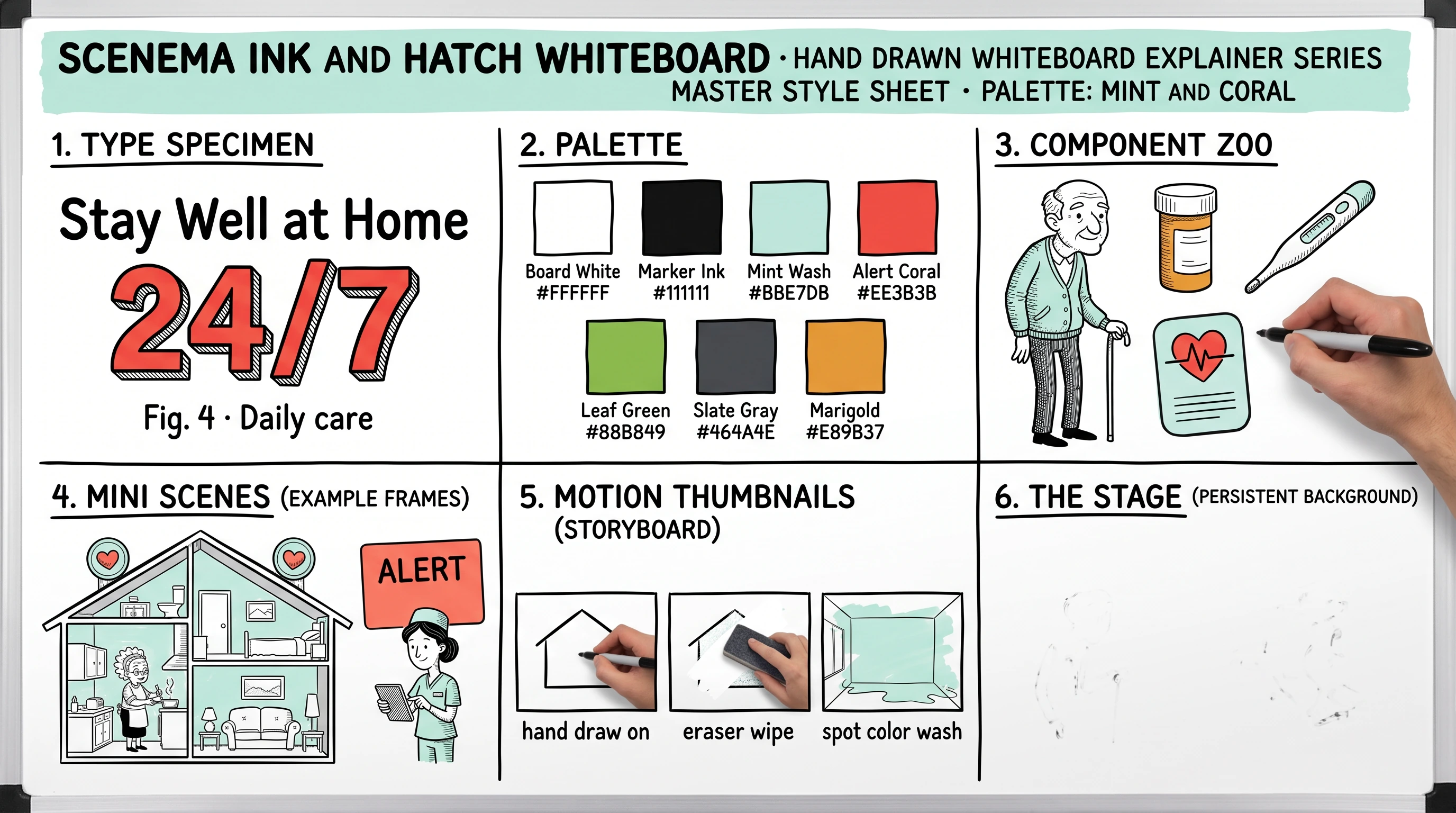
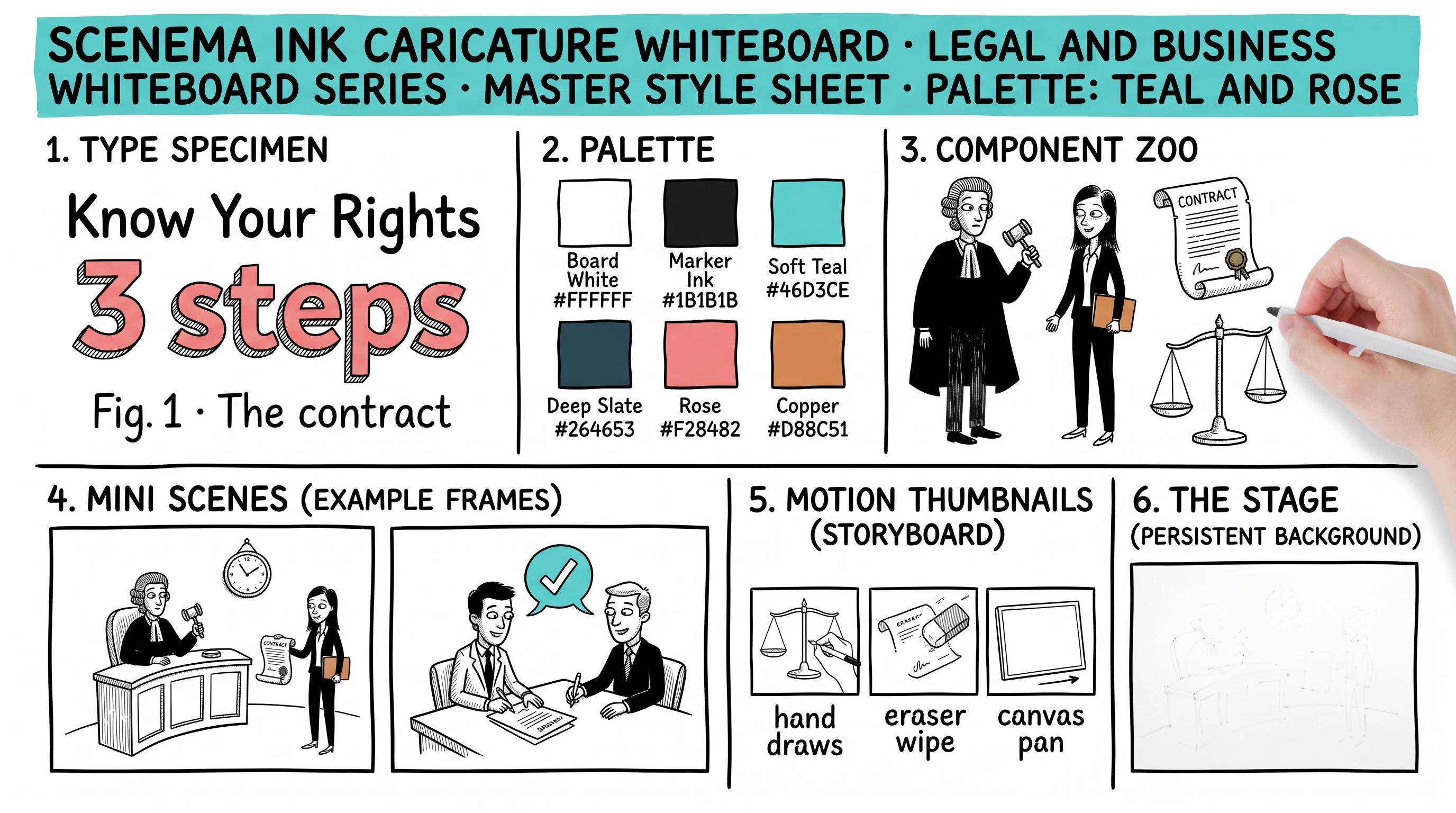
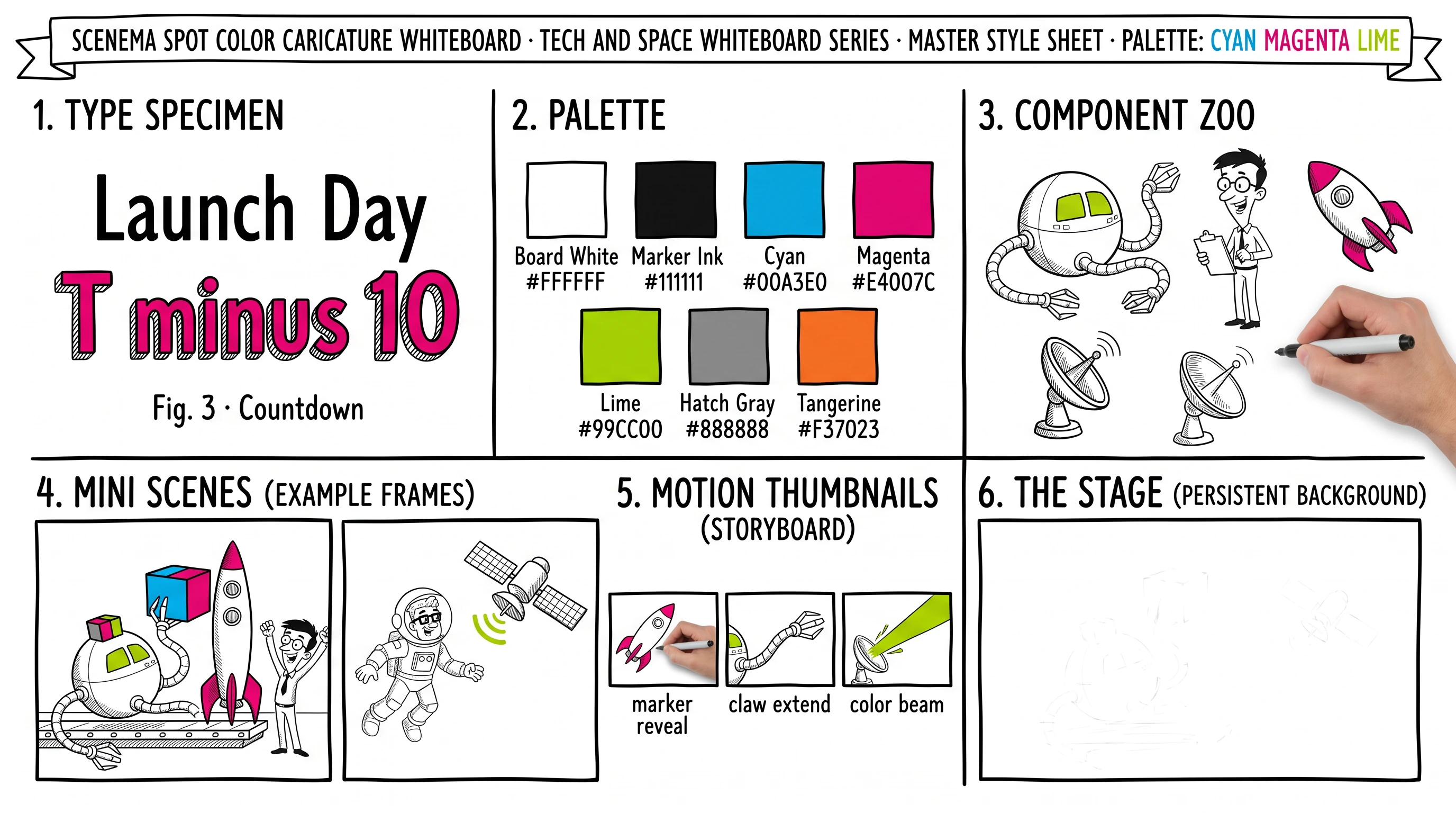
Each Scenema whiteboard style comes with a style sheet that shows its characters, its colors and example scenes. These are the style sheets for three of them. All eight whiteboard styles are on the AI whiteboard video generator page.
How to choose a Doodly alternative
Start with how you want to work, then check length and budget. Click or tap each card to see which tools fit.
For more on what whiteboard and other animation styles involve, see what is AI animation, and for planning a long whiteboard lesson, see how to write a script for a long YouTube video.
The TL;DR on Doodly alternatives
What is the best alternative to Doodly? The best Doodly alternative depends on how you want to work. VideoScribe is the closest match if you want to keep building scenes by hand. Golpo AI and Scenema generate whiteboard videos for you, with Scenema built for long explainers with recurring characters.
Is there a free alternative to Doodly? Powtoon has a free plan limited to 3-minute videos at 720p with a watermark. VideoScribe has a 7-day free trial with watermarked videos of up to 5 minutes. Golpo AI offers one free 1-minute video. Scenema’s free plan gives 200 credits once at signup, with no expiry, for scripts of up to 1,000 characters, which is about a minute of narration. Doodly comes with a 14-day free trial of the Voomly Cloud bundle.
Is there an AI alternative to Doodly? Golpo AI and Scenema both generate whiteboard videos with AI from a prompt, a script or your own documents. VideoScribe and Powtoon add AI tools such as script writing and AI voiceover to a manual editor.
Is Doodly a one-time purchase? Doodly is now included with a Voomly Cloud subscription, priced at $49 a month or $490 a year on Voomly’s pricing page in October 2026, with a 14-day free trial.
Doodly or VideoScribe: Which is better? Doodly and VideoScribe both let you build whiteboard scenes by hand. VideoScribe adds AI script, image and voiceover tools and runs in a browser as well as on desktop, while Doodly runs as desktop software for Mac and PC and relies on Talkia, a separate bundled tool, for generated voiceovers.
Where to go next
- Read what is AI animation for how AI animation styles, whiteboard included, are made.
- See how to write a script for a long YouTube video to plan a whiteboard lesson.
- Compare more tools in best AI tools for long-form explainer videos.
- Try Scenema at scenema.ai. See the pricing page for plans, including a free plan.